
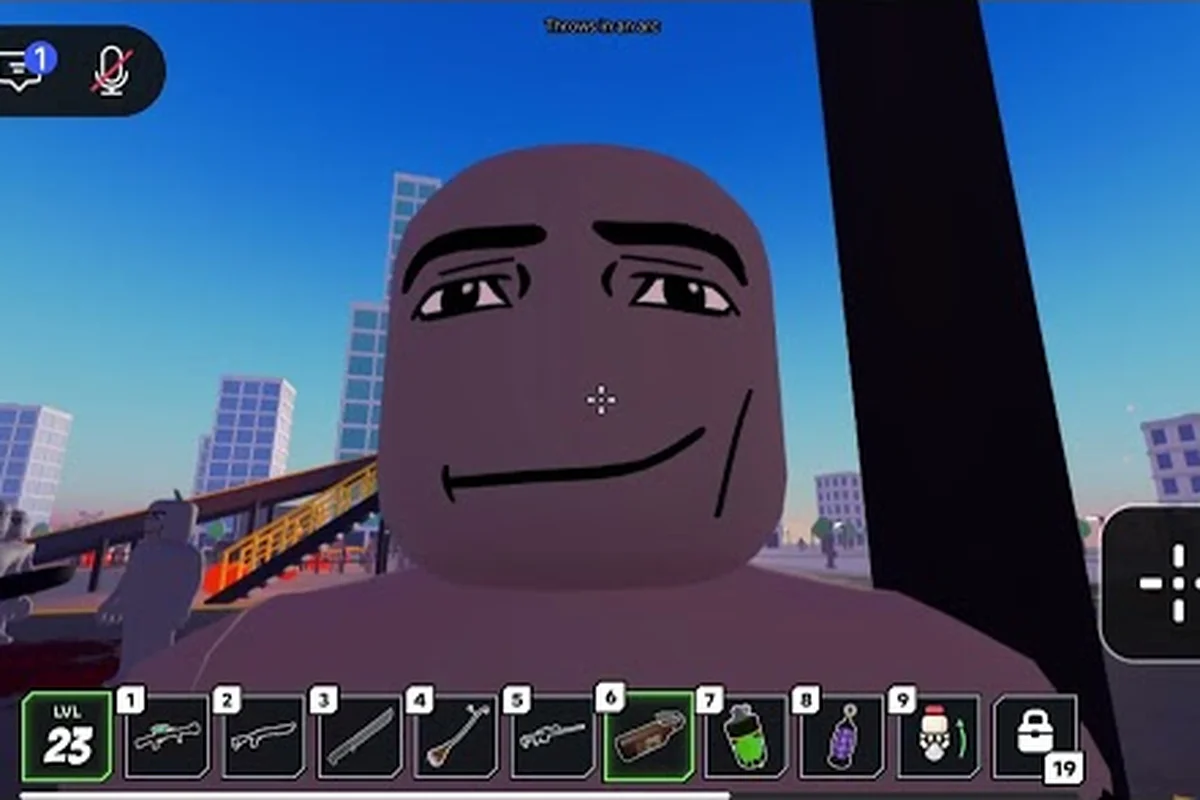
Starting a horde in Ragdoll Reality is as simple as selecting the Horde button, but the setup you choose can determine how quickly the first zombie wave becomes overwhelming. Prioritize the three enemy classes and target their limbs to reduce incoming danger, especially when a walker closes the gap. Keep space for escape routes, prevent bites before the zombies can surround you, and use recovery tactics to restore mobility or health when a wave gets out of control.
How to Start Horde: the Official Starting Sequence
The official Ragdoll Reality game page identifies the Horde button as the way to begin wave survival. This matters because the mode is not simply a normal play session with zombies added; it places you in a wave-survival challenge where preparation, positioning, and target selection become more important as the horde grows.
Start by locating the Horde button in the game interface and pressing it. The official material does not publish a required level, a minimum number of dummies, a wave-number schedule, an intermission duration, or a cap on converted dummies. Therefore, avoid tutorials that claim you must complete a specific task before activation. The documented action is straightforward: select the button, enter the mode, and prepare for the zombies that the system begins sending toward you.
The update centers on graveyard conversion. A dummy thrown into the graveyard can become a zombie, and infected dummies may also convert after being bitten. Because the official page does not list exact zombie health, bite damage, wave population, or reward values, this guide focuses on confirmed mechanics and practical decisions that remain useful without inventing numerical rules.
| Start check | Confirmed information | Practical decision |
|---|---|---|
| Mode entry | The Horde button begins wave survival | Press the button when you are ready to fight continuous enemies |
| Zombie source | Graveyard conversion turns a dummy into a zombie | Expect converted dummies to use familiar ragdoll reactions |
| Enemy classes | Slow, normal, and fast zombies exist | Identify the approaching class before choosing a target |
| Infection | A bitten dummy becomes infected and can convert | Retreat after a bite instead of staying in the crowd |
| Unpublished values | Health, bite damage, spawn caps, and wave rewards are not listed | Avoid depending on guessed damage or timing numbers |
The key distinction is that zombies remain physical ragdolls. They can be pushed, grabbed, thrown, and dismembered, while each body part functions as a separate target rather than one conventional health bar. This makes the Ragdoll Reality zombie guide a useful companion for understanding the Halloween systems before you begin.
Pre-Horde Checklist
Complete these actions in order so the first seconds of the wave are not spent searching menus or testing mechanics. Begin with a normal dummy to confirm that limb targeting, grab, and throw inputs register correctly, then use the resulting movement range to judge safe spacing. This matters because a Horde encounter can close the gap quickly; knowing whether a thrown dummy travels, whether its limbs react independently, and where open ground ends lets you retreat before the zombie wave reaches you.
- Open the interface and find the Horde button.
- Select the button to start wave survival.
- Learn where open ground, obstacles, and safe distances are located.
- Check the gravity, grab, and throw controls.
- Practice targeting an individual limb on a regular dummy.
- Identify a route that lets you retreat without crossing the spawn area.
- Avoid remaining beside a bitten or infected dummy.
The Ragdoll Reality getting-started guide can help with basic controls before this mode, but the most important preparation is practical: locate the Horde button, learn limb targeting, and plan a clear escape route. For example, test a regular dummy by targeting a leg, grabbing it, and throwing it sideways; this confirms whether your aim is precise and reveals how far bodies travel after impact. Before starting the wave, compare that range with the nearest obstacle or wall, because a Horde encounter can surround a stationary player quickly. A useful setup is to keep the Horde button within easy reach, mark a retreat lane away from the spawn area, and avoid standing beside a bitten or infected dummy.
Horde Survival: Understand the Three Zombie Classes
Ragdoll Reality horde survival depends on recognizing what is approaching because the game officially divides zombies into slow, normal, and fast classes. Their listed names establish different movement roles, but the current page does not provide exact speed values. Treat the labels as behavior categories rather than fixed numerical stats, and observe the actual enemy before committing to a response.
A slow zombie gives you more time to react, yet that extra time can disappear if several slow enemies surround you. A normal zombie is less forgiving but still provides enough opportunity to manage spacing. A fast zombie compresses that margin, making backward movement, obstacle use, and quick aim changes much more valuable.
| Zombie class | Confirmed role | What to watch for | Best response |
|---|---|---|---|
| Slow | One of three official speed classes | A steadily closing enemy that can still reach a stationary player | Create distance and disable a limb before it arrives |
| Normal | Middle speed class in the official naming | Steady pursuit without the fast class’s immediate pressure | Move laterally, target strategically, and avoid a crowded area |
| Fast | Quickest of the three named classes | Rapid closing distance | Prioritize escape, blocking space, and fast limb targeting |
The class names alone do not tell you their exact health, damage, or turn rate. A player who treats a slow zombie as harmless may be surrounded before finishing it, while a player who focuses only on fast enemies may ignore a normal zombie positioned beside them. The safest rule is to identify the nearest threat and prevent it from making contact.
Why Class Recognition Changes Positioning
Class recognition affects where you stand because each enemy demands a different amount of personal space. Fast enemies require open lanes and immediate escape choices, while slow and normal enemies can be managed with wider circles. If the area is narrow, fast zombies are more dangerous even if their numbers are smaller, because there is less room to correct a bad angle.
If a fast zombie closes while a slow zombie remains behind you, the slow enemy can occupy the route you expected to use. A diagonal retreat is often better than moving directly backward because it creates a new line without crossing the previous path. This is especially useful when the horde’s body shapes begin to collide and push one another.
For a closer look at one category, the Ragdoll Reality slow zombie guide explains the slow class’s survival role. The important principle across all three classes remains simple: classification determines urgency, while spacing determines whether you can act.
Target Selection Checklist
Before attacking, compare the nearest enemy, the fastest approach, and the limb that offers a practical result. Do not focus on an enemy simply because it has the most dramatic flailing. A fast zombie crossing your escape lane is a greater immediate concern than a slow zombie moving away from you.
-
Identify whether the approaching zombie is slow, normal, or fast.
-
Check whether another enemy is closer to your body.
-
Aim for a limb when the situation permits.
-
Avoid staying beside a bitten dummy.
-
Stop advancing if the crowd closes the available route.
-
Move before attempting a difficult throw or grab.
Zombie Wave: Use Limb Targets and Physics
Ragdoll Reality zombie wave combat is not built around one uniform health bar. Dummies can be grabbed, pushed, thrown, and dismembered, and their body parts operate as separate targets. The same physical reactions apply after graveyard conversion, so a limb that can be manipulated before infection can also matter after the dummy becomes a zombie.
This creates several tactical options, but no official damage thresholds are published for dismemberment. A player should therefore use limb targeting to control movement and create openings rather than assume that every hit produces the same result. Attempting to overpower a moving enemy with a single grab can expose your character, while using terrain and momentum can make a ragdoll behave as a temporary weapon.
| Target choice | Likely use | Strength | Risk |
|---|---|---|---|
| Moving limb | Redirect or slow an approaching zombie | Helps preserve distance | A missed pull wastes time |
| Detached body part | Creates a physical obstacle or distraction | Useful in a crowded lane | Can shift unpredictably after contact |
| Lower limb | Tests mobility and may hinder pursuit | Potentially reduces the enemy’s ability to close | Exact effect varies with the physics state |
| Upper limb | Changes balance during a grab or throw | Can exaggerate a fall | Slow zombies may still reach you |
| Whole dummy | Reorients the entire body | Easier to visualize as a large target | Less precise than selecting a limb |
The Ragdoll Reality method for defeating zombies expands on target selection, but the best wave tactic is to combine mobility with intent. A clean limb hit that sends a zombie sideways can be more valuable than a dramatic throw that lands you inside the group.
Convert Physics Into Space Control
Physics-based fighting becomes stronger when you treat the environment as part of your plan. Push an enemy toward a doorway or obstacle, use a throw to create a temporary barrier, and guide a grabbing zombie away from a lane that you need. The goal is not to watch the ragdoll spectacle; it is to make the next safe movement easier.
A thrown body can become dangerous to other zombies because collisions may interrupt their approach, but that result depends on physics and positioning. Stand where a returning body will not strike you. When the crowd becomes unstable, retreat through the least congested opening instead of attempting a high-risk finishing move.
Do Not Turn Every Encounter Into a Full Throw
Full-body grabs can fail against a fast enemy or leave you stationary while it closes the gap. Use a throw when the target is already controlled, the landing area is clear, and your own position remains protected. Otherwise, target a limb, redirect the body, and move. The Ragdoll Reality Halloween outbreak overview provides additional context on the event that introduced graveyard conversion and the three classes.
How to Survive Zombies: Build a Defensive Loop
Ragdoll Reality how to survive zombies requires a repeatable loop because a horde rewards continuity rather than one perfect attack. The loop has four parts: identify the class, protect your space, select a useful target, and retreat before the crowd compresses around you. Repeating that sequence is more dependable than trying to eliminate every enemy immediately.
| Threat situation | Immediate response | Reason |
|---|---|---|
| One slow zombie approaches | Target a limb, then reposition | Use its slower pace without becoming surrounded |
| Fast zombie gains distance | Create a lateral escape lane | Reduce the chance of a direct pounce or bite |
| Multiple enemies arrive together | Circle around a clear obstacle | Break the straight approach into separate paths |
| Dummy is bitten and infected | Move away immediately | Infection can turn it into another enemy |
| Grab connects near a crowd | Redirect rather than linger | A successful hold can still expose your position |
A strong defense is not always about physical distance. Sometimes the best move is to place a zombie body between you and the next attacker. A pushed enemy can occupy a route, while a thrown dummy can cause enough disruption to create a short opening. The effect is temporary, so use that opening to relocate rather than stand and admire it.
The Three-Step Escape Cycle
First, move laterally when a fast enemy approaches. Second, use a physical obstacle to interrupt the straight approach if possible. Third, target a limb only when the enemy is already controlled. This cycle keeps you from turning every encounter into a stationary combat test.
Do not run into a narrow dead end. A corridor that appears safe can become a trap when converted dummies enter from another direction. Before a wave, locate at least two possible exits and use the one that remains clear. When a bite occurs, treat the area around the bitten dummy as contaminated because infection can turn it into another enemy.
Watch the Infected Rather Than the Fallen
A fallen zombie may no longer pursue you, but the bitten dummy beside it may still stand and convert. Players often focus on the enemy that caused the visible action, only to turn toward another threat and meet a newly infected dummy. Scan the entire nearby group after a bite, not just the attacker in front of you.
If you lack an ideal weapon or control option, distance and terrain become your tools. Pull the infected away from the main group, redirect it toward a separate lane, and keep moving. The aim is not to preserve every dummy; it is to prevent the infected body from returning to the crowd.
Survive the Horde: Wave-by-Wave Decision Guide
Ragdoll Reality survive the horde preparation should focus on repeatable decisions because official wave numbering, intermission length, spawn caps, and rewards are not published. A guide that promises a “wave 10 strategy” without current data would be misleading. Instead, treat each wave as a pressure pattern that changes as the number and classes of approaching enemies increase.
Early Waves: Learn the Conversion Response
During the opening encounters, learn how a converted dummy accelerates, turns, grabs, and reacts when a limb is targeted. This is the best time to identify the normal class because it should be easier to compare with slow and fast enemies. Keep the first fights uncomplicated by choosing an open testing area and avoiding a dense cluster of dummies.
Make a deliberate test during this phase by starting with a single converted dummy in an open area, then recording three observable details: its acceleration and turning response, whether it pursues or pounces, and how it reacts when you target a limb. Use the regular dummy as a visual baseline instead of assuming exact damage values, and stop the test before the converted enemy reaches the surrounding group, where collision timing and chain reactions can obscure the result.
-
Approach one converted dummy at a time.
-
Compare its movement with a regular dummy.
-
Note whether it chases, pounces, or bites.
-
Test a controlled limb target.
-
Retreat before the enemy can collide with another body.
-
Watch what happens when a bitten dummy remains near the group.
Treat the regular dummy as a control rather than a source of exact unpublished damage values. For example, time the converted dummy’s approach and turn rate against the baseline, then compare whether it commits to a chase, a pounce, or a bite after a limb target. This creates a repeatable observation log for the first horde wave without confusing conversion effects, collision timing, and chain reactions with the dummy’s true damage output.
Middle Waves: Protect the Retreat Lane
As the crowd becomes denser, the most valuable resource is usable space. Place yourself where one fast zombie cannot block every direction, and keep an open route behind you. Do not attack in the narrowest passage simply because a converted dummy is standing there. A slow enemy in a corridor can become more disruptive than a fast enemy in an open field.
Control where bodies fall or slide. If a limb is detached near your planned route, either clear it carefully or adjust your path. If a thrown body lands poorly, do not step into the recovery zone. Physics may make the position change again, and an enemy could be pulled toward the disruption.
Later Waves: Choose Which Enemies to Ignore
A horde survival strategy should sometimes ignore a slow enemy. If a fast zombie is approaching and a slow zombie is farther away, the fast enemy deserves immediate attention. Conversely, if the slow zombie is the only one near your body while the fast enemy is still distant, it may be reasonable to disable the immediate threat and let the distant one continue closing.
| Wave pressure | Priority | Secondary action |
|---|---|---|
| One enemy | Learn its class and reaction | Test limb targeting |
| Two enemies | Protect the nearest escape route | Use obstacles to separate them |
| Mixed classes | Address the fastest closing threat | Control slower enemies from a distance |
| Dense crowd | Create a new lane | Do not linger for a finishing blow |
| Infected dummy present | Separate it from the group | Prioritize retreat over engagement |
The goal is not to prove that you can defeat every zombie. Surviving the horde means making enough room to keep functioning after each encounter. A controlled retreat can be more valuable than a long animation, especially when a fast enemy is about to enter the same space.
Advanced Horde Survival Checks
Advanced players can improve consistency by reducing the number of uncontrolled variables. Clear the immediate area before activating the Horde button, locate useful obstacles, and decide where you will retreat if a fast enemy appears. A wave can punish an unprepared player even when their target selection is otherwise strong.
Control the Bodies Around Your Character
Physics creates opportunities, but it also creates collisions. A crowd behind you may push a converted dummy into your path, while a body falling from above can interrupt a planned grab. Keep your immediate circle clear and do not stand between a moving zombie and a large moving object. When bodies gather, move around the outside rather than through the center.
Do not confuse visual chaos with a useful opening. If a group collapses into a pile, the nearest enemy may rise unexpectedly or the pile may shift toward you. Use the disruption to change lanes, then establish a clean area before making another limb-targeting attempt.
Use the Three Classes as a Triage System
The official class system works well as a quick triage tool. Fast means immediate escape priority, normal means steady active management, and slow means controlled handling. This framework helps when several enemies are visible, although it does not replace close-range judgment because a slow enemy can still reach you while you deal with another target.
| Observed class | First decision | Second decision | Common mistake |
|---|---|---|---|
| Fast | Preserve distance | Redirect or separate it | Standing for a full throw |
| Normal | Maintain a working circle | Select a useful limb target | Chasing it across the crowd |
| Slow | Reduce its approach | Watch for nearby infected dummies | Ignoring it until surrounded |
The official Ragdoll Reality game page remains the authority for the Horde button, graveyard conversion, infection, and the three named classes. Since weekly updates are promised, players should verify whether newer patches have changed unlisted values such as damage, wave population, or rewards.
Final Preparation Routine
Complete this routine immediately before pressing the button: pause on a clear, controllable surface where the character can face the first zombie without spawning against a wall, and keep the camera aligned with the intended approach. Check the Horde button is available, then ready the grab and throw controls so you can exploit a zombie’s separate limbs rather than spending the opening seconds struggling with movement. This matters because early positioning gives you room to react to a fast enemy and redirect threats before they close the gap.
-
Clear nearby loose bodies and obstacles from your intended route.
-
Confirm that you can grab, push, throw, and target limbs.
-
Locate two escape routes instead of relying on one.
-
Identify where you can redirect enemies without trapping yourself.
-
Enter the Horde button when you can retreat immediately if a fast enemy appears.
The essential takeaway is simple: activate the documented Horde button, then survive by reading enemy classes, preserving space, and using the physics of separate limbs. Official data establishes the mode and its core zombie behavior; sound positioning, precise targeting, and disciplined retreats will determine how long you last.
Frequently Asked Questions
Where is the Horde button in Ragdoll Reality?
The official game page identifies a Horde button as the way to start wave survival. It does not publish a separate unlock requirement, wave schedule, or minimum dummy count, so you can activate it directly when available. If the control is not visible, check the interface for the mode option and make sure the game has finished loading.
Can I start the horde without converting a dummy?
Yes. The documented mode entry is the Horde button, and the official material does not state that graveyard conversion must be completed first. Converted dummies form the zombie threat, but the page does not require you to create one manually before starting wave survival.
What are the three zombie types in Horde mode?
The official game page names slow, normal, and fast zombie classes. These categories indicate different movement roles, although exact speed, health, and damage values are not published. Identify the approaching class, give fast zombies priority, and use spacing to keep slower enemies from surrounding you.
Should I attack a zombie’s limbs or throw the whole body?
Use limb targeting for precise control and whole-body throws when the enemy is already secured. A limb hit can redirect movement or disrupt an approach more efficiently, while a throw can create space or use the body as a temporary obstacle. Neither method is automatically best because positioning and crowd density determine the safer choice.
What should I do after a dummy gets bitten?
Separate the bitten dummy from the group immediately because infection can turn it into a zombie. The official page does not provide a cure or bite-damage formula, so retreat is the dependable response. Prioritize the infected dummy if it remains close, and keep clear of the area where another conversion could occur.