
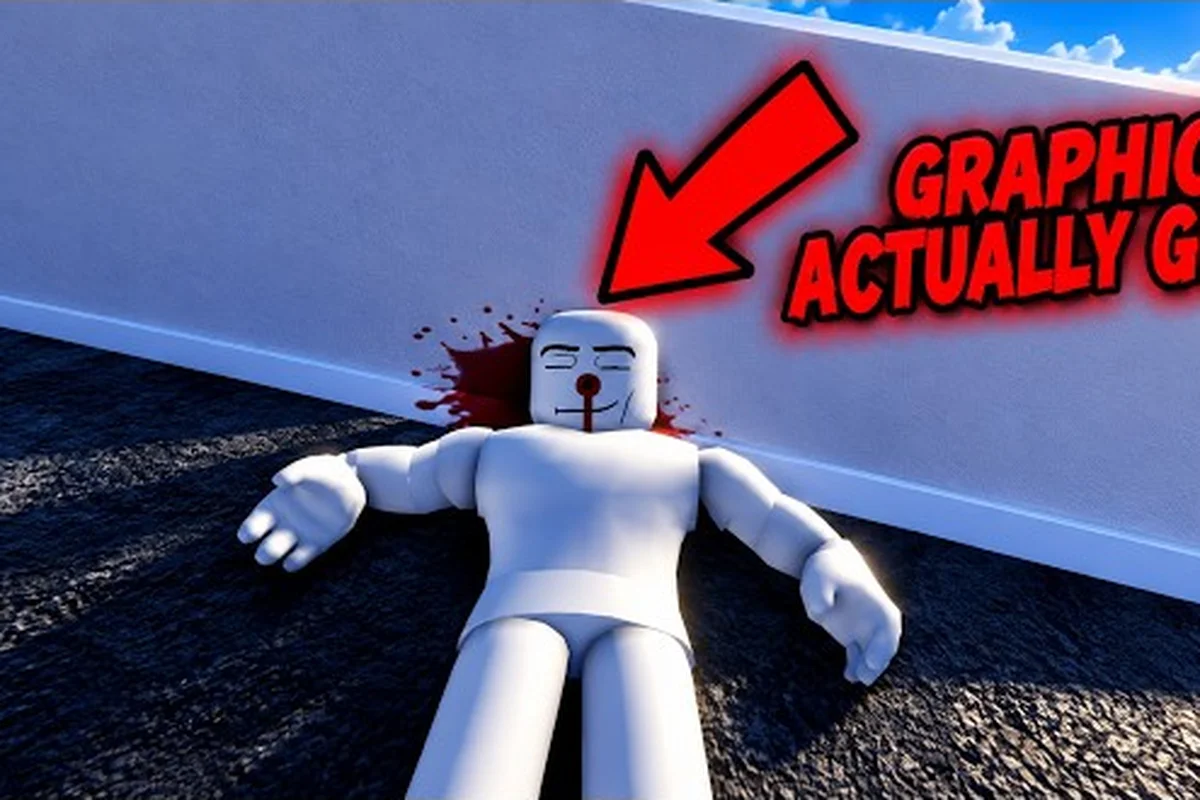
Ragdoll reality explained is simple once you understand its physics sandbox loop: test weapons, target limbs, move dummies, and explore hazards. This beginner overview shows what matters most, from precise hits to zombie modes, so your first session feels purposeful rather than random.
Basics: What the Sandbox Actually Does
Ragdoll Reality is a single-player Roblox physics sandbox where damage depends strongly on where a weapon connects. The official Ragdoll Reality game page describes a world where dummies can stagger, fight back, run away, recover after falling, lose limbs, and bleed. A clean strike to the leg may leave the target limping or crawling, while an arm injury can make that arm hang and cause the target to clutch the wound.
That location-based reaction is the central idea behind ragdoll reality explained. The game is not simply a damage counter: the result of an attack depends on momentum, contact, and the body part that absorbs the impact. Learning where to aim and how a tool behaves therefore matters more than memorizing a single damage number.
| Sandbox element | What it does | Why it matters |
|---|---|---|
| Dummies | React physically, stagger, move, and recover | Provide repeatable targets for testing |
| Body-part damage | Alters movement or limb behavior | Makes precision more useful than raw power |
| Dismemberment | Can detach damaged limbs | Turns careful targeting into a creative objective |
| Bleeding | Adds visible injury reactions | Confirms that a hit landed and affected the target |
| Physics | Lets objects and bodies collide naturally | Allows improvised techniques and hazards |
| Single-player sessions | Limit official server capacity to one player | Keeps testing focused rather than team-dependent |
The first useful action is to select a dummy and watch how it behaves before attacking. Notice its idle stance, movement direction, and the distance between your character and the target. Then make one controlled strike and observe the result. This observation step teaches cause and effect more quickly than rapidly swinging at every body part.
Several ragdoll reality things to do naturally build on this observation. You can test whether a heavy weapon produces a stronger stagger, compare a torso hit with a leg hit, throw the target into an environmental hazard, or move on to a weapon you have not used. A broader first-session route is available in the Ragdoll Reality Roblox Guide: First Session Basics.
Opening Trial Order
Begin with a small sequence that separates the major variables: choose a stationary dummy, attack one body area, observe the reaction, and repeat with the same weapon from the same distance. After that, change only one variable, such as target location or approach angle. This makes the lesson easier to understand because you can connect each change to a visible result.
| Step | Action | Observation to record |
|---|---|---|
| 1 | Stand at close range | Establish distance and facing |
| 2 | Strike the torso | Note impact and stagger strength |
| 3 | Strike a leg | Compare movement afterward |
| 4 | Strike an arm | Check whether the arm hangs |
| 5 | Repeat with another tool | Compare reach, control, and force |
| 6 | Change the target position | Test whether physics alters the outcome |
This is also the clearest starting point for ragdoll reality help. If an attack feels ineffective, first rule out distance, movement, and aim rather than assuming the weapon is broken. Ragdoll Reality basics begin with controlled tests, not an uncontrolled attempt to maximize damage.
Targeting: Why Hit Location Changes Everything
Targeting is the feature that separates this sandbox from a basic combat tester. According to the official game page, a hit produces a reaction at the location where it lands. That means your point of contact is part of the experiment, while the weapon's speed and force also influence how far the dummy moves.
A leg injury can interrupt walking, an arm injury can change how the dummy holds itself, and repeated damage can contribute to dismemberment. A direct torso hit may be useful for knocking the target away, but it will not teach you the same thing as testing a narrow leg strike. Both are valid, although they answer different questions.
Comparing Useful Target Areas
| Target area | Likely lesson | Practical objective |
|---|---|---|
| Head | High sensitivity to precise contact | Test aim accuracy and timing |
| Torso | Stronger mass for impact and displacement | Practice knockback and throws |
| Arms | May cause dangling or clutching reactions | Learn controlled targeting |
| Legs | May produce limping or crawling | Test movement interruption |
| Already damaged area | May progress an existing injury | Practice follow-up strikes |
Hit location is more important than a universal “strongest body part” rule because the objective may be to stop movement, test dismemberment, produce a throw, or simply explore the physics. One weapon can be ideal for a quick leg check and poor for generating distance, while another may create a large shove but leave the dummy difficult to reposition.
Why Movement Changes the Result
Approach speed adds another layer. A moving target has fewer stationary reference points, so a late swing can miss or connect unexpectedly. The same tool can also transfer more momentum during a running strike, although the exact force depends on the game’s physics and the moment of contact. Start slowly, then increase your approach only after the timing feels consistent.
Contact timing is a separate skill from aim. Releasing or swinging too early leaves space between the weapon and the target, whereas starting too late may cause the dummy to leave the strike path. A controlled practice method is to approach from the side, pause briefly, and deliver one deliberate contact. This routine makes small timing errors easier to recognize.
For additional weapon-specific direction, the guide to Ragdoll Reality All Weapons: 12+ Roster and Uses can help you compare available tools before returning to the sandbox. Keep in mind that the official page does not publish a complete damage chart, so weapon names and observed behavior should not be treated as a verified ranking of exact damage values.
Things to Do: Weapons, Movement, and Creative Tests
The sandbox becomes more interesting when you stop treating every dummy as a health bar. After learning the basic reaction system, turn the environment into part of the experiment. You can carry or throw a target, drop it from a height, use a playground hazard, or see whether a damaged dummy behaves differently after repeated contact.
This is where the best ragdoll reality things to do become less about completing formal missions and more about running creative scenarios. The official page presents a sandbox experience rather than a linear campaign, and the best examples from community play tend to be the ones that combine a familiar tool with an unusual arrangement of bodies, ramps, hazards, or weapons.
| Activity | Setup | What it tests |
|---|---|---|
| Weapon comparison | Same target, distance, and body area | Reach, impact, and control |
| Target conversion | Throw a dummy into the graveyard | Zombie interaction |
| Multi-weapon test | Carry one tool and use another | Inventory handling and switching |
| Hazard drop | Use a tower or elevated platform | Fall impact and recovery |
| Chained stun | Follow a stagger with a second attack | Timing after the first contact |
| Reaction recovery | Wait after knockdown | Whether the dummy regains balance |
Test One Variable at a Time
A reliable experiment changes only one factor at a time. If you switch weapons, approach speed, and body location simultaneously, you cannot tell which choice produced the reaction. Begin with equal distances, use the same target area, and record the behavior before making another change. Once the result is predictable, introduce a second variable to create a more advanced scenario.
Controlled repetition is what separates useful testing from random swinging. It also makes the game easier to learn because each action has a clear purpose. A small notebook or a second in-game dummy can help, but a consistent sequence is more valuable than elaborate notes. The Ragdoll Reality Getting Started: Essential First-Session Steps guide provides a broader setup for organizing that early practice.
Use Movement as a Tool
Weapons are only part of the sandbox. Running, jumping, grabbing, pushing, and carrying a target can change the outcome of a collision. A body moving toward a wall may react differently from one pulled backward, while a dropped target may absorb impact from a different angle. This is especially useful for discovering ragdoll reality help when a particular tool seems inconsistent in open areas.
Try three movement tests with the same dummy: establish a direct-strike baseline, repeat the hit beside a wall, and compare it with a lift-and-drop test. This controlled sequence shows how contact points, collision angles, gravity, and obstacle geometry alter momentum and balance, helping you distinguish a weapon-triggered reaction from the physics engine’s own response.
-
Place the target in the middle of an open area and deliver a direct strike.
-
Move the target near a wall or obstacle, then repeat the strike from a similar angle.
-
Lift, carry, or throw the target and observe the landing reaction before approaching again.
The important comparison is not which result looks most dramatic, but how movement changes the target’s stability, recovery, and response. A body shoved toward a wall may keep moving after impact, while the same body pulled backward can topple from a shifted center of mass. Track each test by contact point, collision angle, momentum, and recovery delay; that comparison separates weapon-triggered reactions from the physics engine’s own handling of gravity, obstacles, and falling objects.
Help: Reading Dummies and Choosing a Useful Goal
Reading the target is essential because the dummy is not merely an object that waits to be struck. The official page says dummies can stagger, retaliate, retreat and rise again. A player who understands those responses can choose a tool for the actual goal instead of repeatedly testing random combinations.
For example, a fast reaction may require interruption rather than maximum impact. A target that gets back up may need a second strike while it is off balance. A leg-focused objective calls for accuracy, whereas creating distance calls for a stronger push or throw. Clear intent reduces wasted actions and makes experimentation easier to understand.
A Simple Decision Framework
| Observed situation | Primary goal | Useful next action |
|---|---|---|
| Target stands still | Test weapon response | Vary weapon or impact location |
| Target staggers | Extend the opening | Move in before recovery |
| Target runs away | Interrupt movement | Time a ranged or longer tool |
| Target falls | Examine landing physics | Move it, drop it, or test a follow-up |
| Target stands again | Test recovery handling | Strike during the rise or transition |
Recovery timing deserves particular attention. When a dummy begins to rise, its balance may be different from its normal stance, creating an opening that is not available while it is standing normally. The same principle applies after a throw: the landing and stand-up sequence offers separate testing moments, each with a different physical state.
Common Beginner Errors
Many early mistakes come from setting too many goals at once. Swinging rapidly while moving toward a target makes it difficult to tell whether the problem is aim, range, or timing. Using a powerful tool before learning the dummy’s recovery can also conceal the more useful information provided by a controlled hit.
| Error | Why it hurts | Better correction |
|---|---|---|
| Hitting while running | Aim and timing become harder to read | Pause before the strike |
| Changing targets constantly | Reactions cannot be compared | Repeat the same test |
| Chasing only the biggest reaction | Functional behavior is overlooked | Record movement changes too |
| Ignoring a damaged limb | Follow-up opportunities are lost | Watch hanging, clutching, or limping |
| Treating every dummy as identical | The same action may not teach the same thing | Start with a consistent baseline |
These corrections are central to ragdoll reality basics. Good practice does not mean avoiding experimentation; it means changing the test in a way that produces useful knowledge. A precise leg hit may look less dramatic than a large knockback, yet it can teach more about the targeting system.
Zombie Mode and the Graveyard
The Halloween layer adds a distinct goal to the sandbox. According to the official page, a dummy thrown into the graveyard becomes a zombie. Zombies are divided into slow, normal, and fast speed classes, and they can chase, pounce, and bite. A bitten dummy can also become infected and convert, while a Horde button launches wave-survival mode.
This mode expands the meaning of ragdoll reality explained because the goal shifts from immediate limb damage to a moving, reactive opponent. A zombie can pursue the player, close distance, and create a chain of infection, so positioning and timing become more important than a single stationary test.
| Zombie element | Published behavior | Practical implication |
|---|---|---|
| Graveyard | Converts a thrown dummy into a zombie | Location can trigger a transformation |
| Slow class | Moves more slowly | Offers time to observe and position |
| Normal class | Standard speed class | Balances pursuit and reaction time |
| Fast class | Moves quickly | Rewards early interruption or distance |
| Bite | Can infect a dummy | Creates a conversion chain |
| Horde mode | Starts wave survival | Shifts the goal from testing to defense |
Preparing for the Horde
Do not begin Horde mode without understanding the speed classes and the graveyard interaction. A useful preparation session starts with one zombie, observes its chase and pounce behavior, and then identifies a safe area where you can create distance. After that, test whether slowing or removing the target produces a better result than trying to win a direct exchange.
The official page does not publish exact zombie health, bite damage, wave population, or reward information. Accordingly, avoid treating community estimates as fixed rules, because balance or availability may change with updates. Community testing is useful for understanding patterns, while the official page remains the better source for confirmed features and class names.
Wave planning is the safest approach to Horde mode. Keep moving, avoid clustering near the graveyard, and use obstacles to separate pursuing zombies when possible. If a target is bitten, decide quickly whether eliminating it or moving away is the better decision. The most important lesson is that the infection mechanic changes the consequences of every contact.
For a more detailed first-hour plan, the Ragdoll Reality How to Start: A First-Hour Plan can place weapon tests, playground hazards, and zombie preparation into a more structured session. Use that session to compare handling before committing to a weapon: note which tool grants enough time to create distance, which leaves you vulnerable during the swing, and how each performs when a zombie closes the gap. A practical example is testing a long-range weapon against a single fast zombie first, then repeating the encounter around playground obstacles. That comparison helps you decide whether the weapon’s reach or a quick escape route is the safer option when a wave arrives.
Playground Hazards and Sandbox Challenges
Once the core targeting loop feels familiar, the playground hazards provide a new set of physics experiments. The practical first-session route described in the official page moves from dummies and weapons to hazards and the 80-stud tower, with the graveyard and Horde button adding the Halloween layer.
Hazard testing works best when the objective is specific. Instead of simply visiting every feature, choose a question: Can the target survive a fall? Does a thrown body clear a gap? Which impact produces the most noticeable change in movement? This turns exploration into a repeatable challenge without requiring a formal mission system.
| Challenge | Setup | Useful evaluation |
|---|---|---|
| Tower drop | Test from the 80-stud tower | Fall result and recovery |
| Shredder test | Position a target near the mechanism | Contact accuracy and timing |
| Wrecking-ball test | Time the swing with the target | Timing and positioning |
| Spike-pit test | Control angle and approach | Contact point and body response |
| Human-cannon test | Combine launch and landing | Chain of physical effects |
| Graveyard conversion | Throw a dummy into the area | Successful zombie trigger |
Chain a Cause and Effect
A good challenge often contains multiple steps. Pick up a dummy, carry it to a hazard, release it at the right moment, and then inspect the result. If the first step fails, the later steps become unreliable, so diagnose the chain from the beginning. A missed throw might be a targeting problem rather than a flaw in the graveyard or another destination.
Environmental timing matters because moving hazards create narrow windows. Swing-based obstacles require patience, while drops require control of height and direction. Keep the target’s landing area visible, and avoid placing it where another obstacle can interrupt the test. Clean results are especially useful when comparing two weapons or two body positions.
Create Personal Sandbox Challenges
A challenge can add objectives without changing the game rules. Examples include producing a crawling reaction with a leg strike, causing a target to land in a selected spot, or converting a dummy without using a ranged weapon. Keep each goal narrow enough to evaluate from a clear result.
| Challenge type | Example goal | Success check |
|---|---|---|
| Accuracy | Hit one specific limb | Desired reaction occurs |
| Control | Place a target near a marker | Target lands where intended |
| Timing | Hit during a hazard’s return | Contact occurs on the active frame |
| Sequence | Carry, drop, then approach | All stages complete correctly |
| Transformation | Trigger a graveyard conversion | Target changes into a zombie |
These challenges also create a reason to revisit earlier mechanics. A grab move that was only a curiosity during the first five minutes may become important when positioning a target for a spike pit. As a result, the playground helps deepen ragdoll reality things to do without requiring a separate progression checklist.
A Complete Beginner Session Plan
A productive session should end with a few clear discoveries. Begin with a stationary dummy, establish a baseline, compare body locations, and then introduce movement. Only after that should you explore weapons, hazards, the graveyard, or Horde mode. This order prevents the more dramatic features from hiding the basic targeting system.
A Reliable 30-Minute Routine
| Time | Activity | Purpose |
|---|---|---|
| 0–5 minutes | Observe and test one dummy | Learn stance, range, and reactions |
| 5–10 minutes | Compare torso, arm, and leg hits | Understand location-based damage |
| 10–15 minutes | Test two weapons under equal conditions | Compare control and impact |
| 15–20 minutes | Add movement and throws | Explore physics |
| 20–25 minutes | Try playground hazards | Add environmental interactions |
| 25–30 minutes | Test the graveyard or one Horde attempt | Explore the Halloween layer |
One-session learning target keeps the routine from becoming aimless. Example targets include learning how a leg injury changes movement, completing a clean throw into a hazard, or determining which of two tools gives better control. Once the target is achieved, change the challenge rather than repeating the same result indefinitely.
What to Check Before Ending
Look back at the target rather than only the weapon. Did the dummy limp, crawl, clutch an injury, or fail to rise normally? Did it recover after falling? Did an impact vary because the body was already off balance? These observations help explain the result and give you a better next test.
The same discipline applies to beginner mistakes, which are covered in Ragdoll Reality Beginner Mistakes to Avoid. Remembering a small number of corrections is more useful than memorizing dozens of isolated facts: stabilize your movement, change one variable, observe the injured area, and let the target’s reaction guide the next action.
Frequently Asked Questions
What is the main feature of Ragdoll Reality?
Ragdoll Reality centers on a physics sandbox in which dummies react to weapons and environmental impacts. Damage is location-sensitive: leg hits can cause limping or crawling, while arm hits may leave an arm hanging. The official page also notes staggering, falling, recovery, bleeding, and possible dismemberment, which gives players many ways to experiment.
What should a beginner test first in Ragdoll Reality?
Begin with a stationary dummy, one weapon, and three target areas: the torso, an arm, and a leg. Keep the distance consistent, observe each reaction, and repeat before changing tools. This method teaches the central location-based system while helping you notice differences in movement, body behavior, and recovery more clearly than random rapid attacks.
Can dummies get back up in Ragdoll Reality?
Yes. The official game page states that dummies can stagger, retaliate, retreat and rise again after falling. That recovery behavior makes timing important, because the best opening may occur while the target is rising rather than while it is standing normally. A separate recovery window can therefore be more useful than repeatedly striking a stable target.
How do the graveyard and zombie modes work?
Throwing a dummy into the graveyard converts it into a zombie, according to the official page. Zombies use slow, normal, and fast speed classes, and they can chase, pounce, and bite. A bitten dummy can become infected and convert, while the Horde button starts wave survival. Exact health, bite damage, and wave totals are not officially published.
What makes the best Ragdoll Reality beginner test?
A useful beginner test changes only one variable at a time: keep the target, distance, and approach stable while altering the body area, then compare weapons under the same conditions. Record not only the size of the impact but also movement changes, injury behavior, and recovery. This produces useful information and prevents dramatic but meaningless hits from being mistaken for better control.