
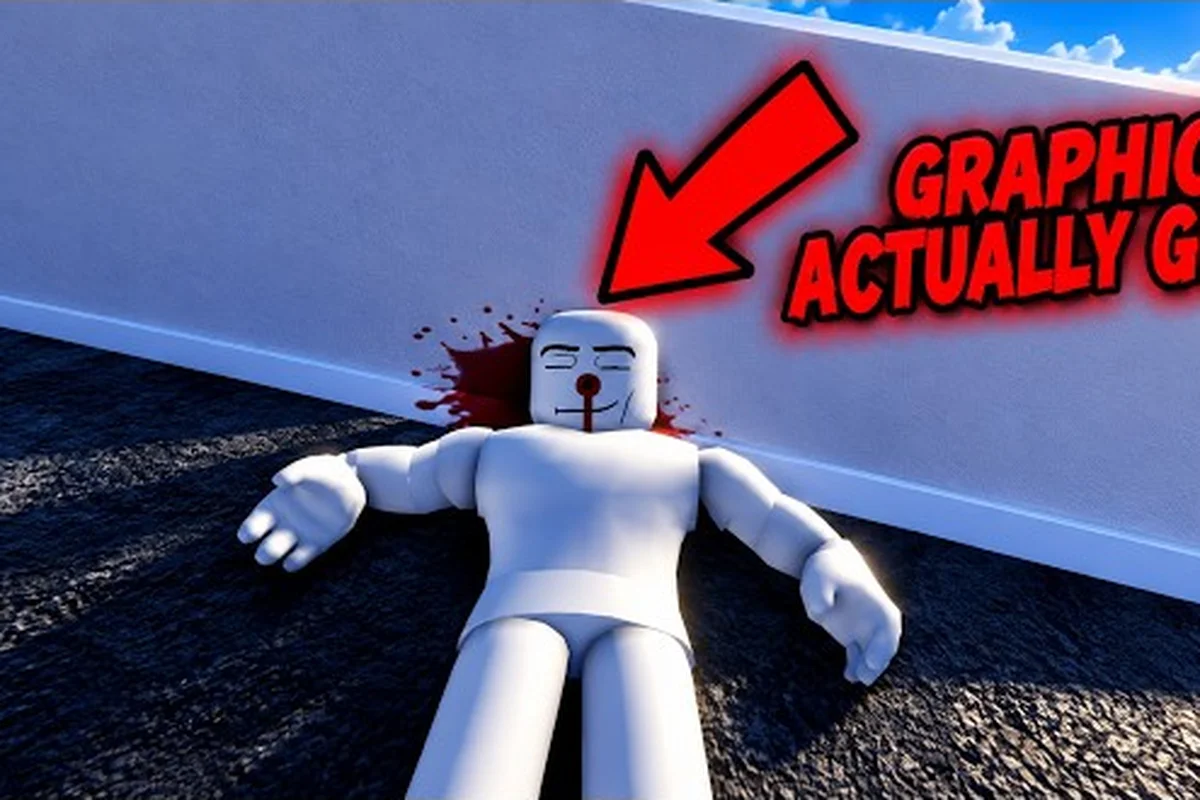
Ragdoll Reality tips and tricks are most effective when you test specific body parts instead of relying on random flailing. Start with controlled scenarios, such as a low platform, padded floor, or stationary target, so you can compare how the head, torso, and limbs react to impact without repeated resets. Aim for joints to change direction cleanly, use the environment to redirect momentum, and increase the height, speed, or complexity of the obstacle only after the movement feels predictable.
Accelerating Your Opening Minutes
Ragdoll Reality rewards experimentation because each impact changes a dummy’s posture, speed, and ability to recover. The fastest way to learn is to separate your tests: first confirm a hit, then compare weapon behavior, then add movement or hazards. This ragdoll reality quick start guide turns that process into a practical routine for new players.
The official Ragdoll Reality game page highlights location-based reactions: a leg strike can leave a target limping or crawling, while an arm strike may make it clutch the injured area. Those reactions are more useful as feedback than as random outcomes, so each test should answer one clear question.
Start With a Controlled Test Dummy
Choose an open area and attack a stationary dummy before testing a moving target. This gives you time to observe the hit location, the body’s response, and the recovery behavior without environmental distractions. It also helps you learn whether a weapon’s motion, reach, or impact timing is producing the result.
Use short, deliberate swings at first. Increasing speed does not automatically mean increasing control, especially when heavy weapons carry enough momentum to shift the dummy before the hit lands. Record three observations after each attempt: where the weapon connected, how the target reacted, and whether the target recovered.
| Test stage | What to observe | Why it matters |
|---|---|---|
| First contact | Exact body area struck | Confirms the location-based reaction system |
| Follow-through | Whether the dummy moves, falls, or grips an injury | Reveals the weapon's momentum and impact style |
| Recovery | Return to standing or continued impairment | Helps distinguish temporary stagger from lasting damage |
| Second attempt | Repeat with a small aim adjustment | Builds a repeatable technique instead of a lucky result |
For a broader overview of menus, movement, and early objectives, use the Ragdoll Reality Roblox guide for first-session basics. Keeping those fundamentals straight lets you spend more time testing the physics and less time figuring out which control you accidentally pressed.
Treat Body Placement as the Main Skill
The official page identifies three broad reactions worth testing: a leg hit can produce limping or crawling, an arm hit can leave the arm hanging or prompt the target to clutch the wound, and dummies may stagger, fight back, run away, or rise again. A hit that lands on the torso may produce a completely different movement pattern from one placed near the head or legs.
A useful rule is to change only one variable per attempt. Keep the same weapon and distance while moving the aim upward, then repeat the test with the aim fixed and the weapon changed. This method prevents a strong result from one variable from hiding a weakness in another.
Test Against the Reaction You Want
The goal of your first test is not to maximize destruction. It is to create a reliable interaction that you can reuse later. Decide before swinging whether the purpose is to slow a target, interrupt movement, knock it down, or test a weapon’s finish.
| Desired outcome | Body-placement test | Useful observation |
|---|---|---|
| Reduce movement | Aim lower, around the legs | Check for limping, crawling, or an altered stride |
| Interrupt an attack | Aim near an arm | Watch for a hanging arm, clutching response, or stagger |
| Cause a knockdown | Sweep toward the legs or torso | Compare the fall direction and time needed to rise |
| Test recovery | Land one controlled blow and withdraw | Determine how quickly the dummy regains normal movement |
This approach also makes weapon comparisons fairer. A blade that reaches farther may appear stronger simply because it strikes first, while a compact tool may deliver a cleaner hit if its impact point is placed correctly. For a dedicated look at weapon handling, the Ragdoll Reality weapon damage comparison provides a useful reference without replacing your own practice.
Guide 2026: Turn Testing Into a Routine
A complete learning cycle includes a target, an objective, a controlled setup, and a visible result. The mistake is changing everything at once: switching weapons, targets, location, and timing makes it difficult to learn which action caused the outcome. This ragdoll reality guide 2026 section establishes a repeatable test order that works even when you only have a few minutes.
Begin with one body area, one weapon, and one target condition. Make the first strike at normal speed, then change just one factor. If you are comparing a pistol and machete, keep the dummy in the same position and use a consistent distance. If you are testing damage against movement, use the same swing rhythm while changing the target’s path.
Follow a Four-Step Test Cycle
-
Set the objective: Decide whether you want to test reach, impact, recovery, or a particular body reaction.
-
Control the setup: Use the same dummy position, angle, weapon, and timing whenever possible.
-
Watch the complete response: Record not only the impact but the fall, movement change, and recovery afterward.
-
Repeat and refine: Make the smallest useful adjustment, such as aiming slightly lower or swinging on a different rhythm.
| Test variable | Keep it constant | Change it | Result to document |
|---|---|---|---|
| Weapon comparison | Target, aim area, distance, speed | Tool | Reach, knockback, recovery |
| Body placement | Tool, distance, speed | Aim area | Movement impairment and balance |
| Target behavior | Tool, aim area, distance | Moving or attacking dummy | Tracking and interruption |
| Recovery | Tool, aim area, strike count | Wait time before next hit | Time required to stand or resume activity |
This four-step test cycle is more valuable than repeatedly switching to the strongest available option. It creates a personal baseline, which makes later improvements visible. The Ragdoll Reality getting-started steps can help you confirm the basic controls before you begin more detailed comparisons.
Record a Compact Test Note
A short note after each trial is enough. Write the weapon, target condition, aim area, and reaction in one line. Over several tests, patterns become easier to recognize, especially when one weapon causes a stronger movement interruption but another produces a more immediate collapse.
Avoid recording vague statements such as “it felt strong.” Use specific observations: the target staggered before moving backward, the arm hung after contact, or the dummy continued crawling after standing. Observable results are more actionable than general impressions because you can repeat them.
Exact Targeting and Weapon-Control Techniques
Controlling a ragdoll means controlling three separate moments: the approach, the point of contact, and the follow-through. A strong hit may be visually impressive but land in a less useful place, while a modest contact on the right body area can change movement. The best results usually come from making the contact point more important than the swing speed.
Watch the Weapon, Not Only the Dummy
The dummy’s body can shift before the weapon reaches it, and the weapon can push that body during impact. Keep enough visual attention on the active tool to recognize when its arc is too high, too low, or drifting sideways. This does not mean staring at the blade alone; it means dividing attention between the target zone and the tool’s approach.
| Common aiming error | What it changes | Correction |
|---|---|---|
| Watching only the dummy | The tool can drift past the intended area | Keep the selected body zone visible before impact |
| Rushing the swing | Contact becomes harder to place | Use a slower first repetition |
| Chasing the moving body | The tool meets a different angle | Choose a predictable target path first |
| Overcorrecting mid-swing | A small miss becomes a wide miss | Finish the motion and adjust on the next attempt |
For firearm-specific timing and positioning, the Ragdoll Reality pistol range and control guide adds detail on aiming, distance, and reaction. The same general rule applies: establish the intended hit area first, then coordinate the tool with the target’s movement.
Learn the Difference Between Stopping and Dragging
If a heavy tool carries the target across the ground, you can sometimes use that movement to continue the test. That does not mean pulling the tool away at the first sign of impact. Pulling away can end the interaction early and remove the opportunity to see the full follow-through.
First, learn a clean single contact by applying a tool along one deliberate motion path instead of releasing it immediately after the hit. Once that contact is reliable, add controlled continuation: keep the tool moving through the ragdoll’s momentum for a short follow-through, then release it while the body is still rotating or sliding. This separates basic accuracy from advanced physics manipulation and prevents a dramatic movement from being mistaken for effective damage. For example, a horizontal push can transfer momentum and create a longer collision chain, while a quick upward swing may exaggerate the ragdoll’s arc without producing greater impact; compare the tool’s contact speed, release timing, and the ragdoll’s resulting displacement.
Use Distance as a Variable
Distance affects when contact occurs, how much the weapon can accelerate, and how easily you can correct your aim. Begin within a range where the entire swing remains visible. After establishing a repeatable hit, increase the distance slightly and repeat the same test.
Do not change body placement and distance together. If both change, a missed result tells you very little. The more variables you isolate, the faster you can build the kind of control described in a ragdoll reality complete guide: deliberate movement, a clear target area, and an intentional follow-through.
Complete Guide to Efficient Practice
Efficient practice is not about keeping the same action busy for hours. It is about reducing uncertainty between one attempt and the next. Ragdoll Reality contains movement, tools, reactive dummies, playground hazards, an 80-stud tower, a graveyard, and a Horde mode, so you can turn each environment into a different kind of test rather than repeating one routine.
Pick a Body Area Deliberately
The official page indicates a practical progression from dummies to playground hazards, the tower, and Halloween content. It also identifies the graveyard as a conversion point and the Horde button as a wave-survival mode. These features create natural milestones for testing, even though the page does not publish exact zombie health, bite damage, or wave counts.
| Area or activity | Best practice question | Suggested first test |
|---|---|---|
| Dummy range | Which body area creates the clearest reaction? | One controlled leg, arm, and torso hit |
| Playground hazards | How does environmental motion alter the outcome? | Retrieve a target without an extra strike |
| 80-stud tower | Can you maintain accuracy at greater height? | Repeat a familiar swing near the edge |
| Graveyard | How does a dummy become a zombie? | Test the conversion with one prepared dummy |
| Horde mode | Can you prioritize moving threats without wasting swings? | Separate fast, normal, and slow zombies |
The official page lists zombie classes as slow, normal, and fast, noting that they chase, pounce, and bite. Because exact health and damage values are not published, treat their behavior as the reliable guide. Count attacks, spacing, and recovery time rather than assuming a hidden damage formula.
Use the Environment, but Separate the Variables
A playground hazard can test mobility, balance, and timing, yet it can also obscure a weak hit that looked clean in the dummy range. Use hazards after establishing a baseline. Compare the same action in a clear area and in the hazard, then note which environmental detail changes the result.
For the 80-stud tower, height is the variable to isolate. Use the same basic swing from three measured positions, such as the base, a lower platform, and the top landing, while keeping distance, timing, and character momentum constant. Compare the resulting launch arc, obstacle clearance, and recovery position: higher elevation may widen the arc or improve sightlines, but it can also narrow the landing window around the tower. Record each attempt so balance, spacing, and sightline effects can be separated from the climb itself, making this a controlled height test rather than a simple ascent.
Change Goals by Phase
Your practice should evolve from control to efficiency as you progress through the game’s five phases. Early tests focus on making contact, while middle tests emphasize producing a visible reaction quickly and learning how a ragdoll body reacts after the strike. Later tests shift toward handling movement while conserving attempts or maintaining space, so repeated impacts do not consume more resources or disrupt your positioning. The phase table provides a practical benchmark: first make the strike land, then trigger a clear impairment, and only afterward optimize each movement for a specific purpose.
| Practice phase | Main goal | Success marker |
|---|---|---|
| Accuracy | Place the strike deliberately | The intended body area is struck consistently |
| Reaction | Trigger a visible impairment | The target changes movement after contact |
| Recovery | Understand the aftermath | The target rises or resumes movement predictably |
| Efficiency | Act without repeated corrections | Each movement serves a specific purpose |
| Pressure | Handle threats in motion | The target type changes your spacing and priority |
The practice phase table turns the sandbox into structured training instead of random destruction: use Accuracy to isolate repeatable contact, then advance through Reaction, Recovery, and Efficiency only when the ragdoll behaves as expected. For example, if the Accuracy marker succeeds but the Reaction marker fails, adjust your contact point before adding movement; otherwise, wasted attempts can blur spacing and resource timing. The final Pressure phase tests whether you can preserve those priorities when threats, tool changes, and new environments overlap.
Quick Start Guide for Zombies and Survival Tests
The Halloween layer changes the target from a stationary dummy into an infected or zombie opponent. According to the official game page, throwing a dummy into the graveyard produces a zombie, while a bitten dummy can become infected and capable of conversion. A Horde button starts a wave-survival scenario. This makes the graveyard a practical laboratory for testing speed and priority.
Prepare Three Zombie Profiles
Treat slow, normal, and fast zombies as separate threat profiles rather than interchangeable targets. Because the game does not expose exact movement-speed values, use each zombie class’s stated behavior to adjust spacing and target selection: let a slow zombie approach, keep room for a normal zombie’s lunge, and prioritize a fast zombie when it closes distance. This conservative spacing lets you test movement handling without confusing it with recovery mistakes or missing a priority target.
| Zombie class | Likely test emphasis | Practical approach |
|---|---|---|
| Slow | Basic contact and consistency | Use a stable rhythm and confirm the reaction |
| Normal | Standard movement handling | Keep space while tracking the approach |
| Fast | Prioritization and recovery | Avoid committing to a slow swing when another target closes in |
Practice one class at a time before combining them. This separates movement speed from the complexity of multiple threats. When several enemies approach, the most important decision is often which target creates an immediate threat, rather than which target was originally selected.
Test a Single Conversion
Begin with one dummy and a deliberate throw into the graveyard. Confirm that the target changes, then observe its movement. Avoid throwing several dummies into the area at once, because the result becomes difficult to assign and you lose the clean baseline.
Next, test the infection interaction with another dummy. The official page states that a bitten dummy becomes infected, but it does not publish exact bite damage or conversion timing. Use a controlled number of bites and record the sequence you observe rather than turning the test into an improvised battle.
Plan Survival Space
In Horde mode, save room to move. A crowded area reduces the number of directions from which a fast zombie can approach, while an open area gives you more reaction time. Test both layouts with a small number of enemies before accepting one as your preferred route.
If your initial session feels disorienting, the Ragdoll Reality first-hour plan can provide a cleaner order for moving from basic dummy tests to survival scenarios. This ragdoll reality quick start guide adds the most value once you already understand the controls and can focus on target behavior.
Common Practice Mistakes and Better Alternatives
Most wasted time comes from changing too much between attempts or judging a tool by its first visible effect. Ragdoll Reality’s physics can make a dramatic knockdown look like superior damage even when the intended body reaction never occurred. Avoiding a few predictable mistakes keeps the sandbox productive.
Don’t Chase Maximum Damage First
A knockdown may be dramatic, but it does not always provide the result you need. An arm strike might interrupt a dummy more effectively, while a leg hit can make movement visibly worse. Choose the desired interaction before choosing the tool.
Don’t Use a Moving Target as Your First Test
Moving targets add aiming, timing, and tracking to the same attempt, so start with a stationary dummy to isolate weapon spread and reload timing. Then test a straight, predictable path at a controlled distance before adding lateral movement; the target’s speed determines how much your crosshair must lead the body. If it is also attacking, treat defense as a third variable: strafe, use cover, or retreat while maintaining line of sight, because damage taken can interrupt the shot before you land a hit.
Don’t Assume Every Recovery Looks the Same
A dummy may stagger, fall, crawl, limp, run away, clutch an injury, or get back up, according to the official description. Give each reaction enough time to develop. Pulling away after the first contact can make the result appear weaker than it will be after the full reaction.
| Mistake | Information lost | Better approach |
|---|---|---|
| Changing weapons after every hit | No clean comparison | Use three hits with one tool, then switch |
| Swinging as fast as possible | Accuracy becomes inconsistent | Slow the approach, then increase pace |
| Testing beside hazards immediately | Environment masks the result | Establish a clean baseline first |
| Watching only the fall | Injury response is overlooked | Record balance and movement after impact |
| Starting Horde mode with every enemy | Priorities become confused | Test one speed class at a time |
Avoiding these mistakes makes each session more efficient, because the table isolates variables that can distort a reaction. For example, three controlled hits with one weapon reveal its force and consistency, whereas switching tools after every impact prevents a useful comparison. Establishing a clean baseline before testing beside hazards also makes it easier to identify whether the stagger, limp, or full fall came from the weapon or the environment. These habits create a stronger foundation for the broader Ragdoll Reality beginner mistakes to avoid, especially when comparing movement after impact.
A Practical Tips and Tricks Checklist
Use this checklist at the beginning or end of a session to turn general experimentation into a repeatable ragdoll-physics routine. Track whether each throw improves balance, momentum, and object contact rather than relying only on a damage number or knockdown count. For example, test the same prop across different approach angles and note which setup produces a cleaner ragdoll reaction, because a high-damage throw can still look awkward if the body pivots, clips scenery, or loses alignment immediately after impact. This makes small handling adjustments easier to compare and keeps each test tied to a specific physics outcome.
Before the First Test
-
Choose one dummy and a clear patch of ground.
-
Decide which body area and reaction you want to test.
-
Select a weapon you already understand.
-
Keep the first attempt slow and controlled.
Mid-Test Checks
-
Aim for a visible body zone.
-
Watch the tool’s approach and the point of contact.
-
Record the immediate reaction, movement change, and recovery.
-
Change only one variable between attempts.
-
Avoid stacking enemies or hazards during a baseline test.
Before Moving to a New Area
-
Reproduce the result once more.
-
Note whether the tool worked for the intended purpose.
-
Compare the same action at a different distance or height.
-
Save the clearest successful test as your next-session baseline.
These practices create a repeatable benchmark and make the sandbox easier to learn. The central takeaway is simple: good Ragdoll Reality tips and tricks do not demand a special combo. They rely on deliberate body placement, controlled comparisons, and attention to what happens after contact.
Frequently Asked Questions
What is the fastest way to learn Ragdoll Reality?
Use a stationary dummy for your first test, aim at one body area, and change only one variable between attempts. Record the contact point, immediate reaction, and recovery. This method reveals weapon behavior faster than repeatedly attacking moving targets or switching tools after every hit.
Should every hit target the head in Ragdoll Reality?
No. The location-based reaction system rewards different target areas, so the best choice depends on your goal. Test the legs for movement changes, the arms for interruption or clutching reactions, and the torso for a broader impact. Repeat each placement before deciding which is strongest.
Are fast zombies stronger than slow zombies in Ragdoll Reality?
The official page identifies slow, normal, and fast classes but does not publish exact health or damage values. Treat speed as the confirmed difference and test the rest through observation. Record how each class approaches, how it reacts after a hit, and how quickly it resumes pressure.
Can I test Ragdoll Reality without entering Horde mode?
Yes. Dummies, playground hazards, the 80-stud tower, and the graveyard provide useful test environments before Horde mode. Build a clean baseline at the dummies, isolate one variable at each location, and use the graveyard to study conversion before adding multiple zombie opponents.
What should I change after each failed weapon test?
First, check whether you missed the intended body area, then compare contact distance and swing timing. If both were consistent, try the same tool on a stationary target before changing weapons. This prevents an aim problem from being mistaken for a difference in damage or impact.