
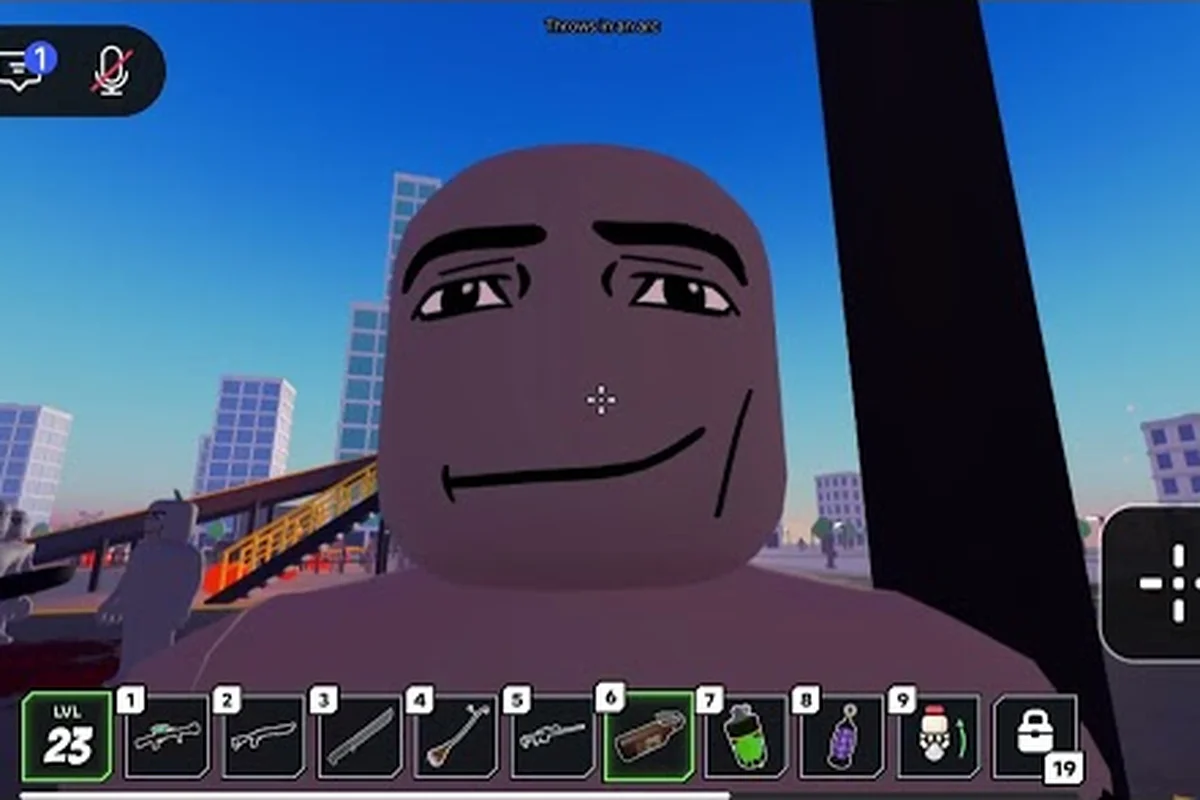
The Ragdoll Reality Halloween event turns a graveyard trick into a full zombie outbreak. A dummy becomes a zombie after being bitten, turning the apparently harmless prop into a moving infection threat that can disrupt the graveyard. Understanding how Ragdoll Reality dummies turn into zombies, handle infection, and prepare for Horde mode is essential for surviving the event’s escalating encounters.
Halloween Event Overview
The Ragdoll Reality Halloween event centers on a graveyard that converts ordinary dummies into pursuing zombies. That transformation matters because it connects the game's physics-based dummy interactions with a new survival challenge, especially when a Ragdoll Reality bitten dummy can become infected and spread the outbreak further.
The event adds three documented zombie speed classes: slow, normal, and fast. It also introduces infection and a Horde button for wave survival. The official Ragdoll Reality game page identifies these broad features, although it does not publish exact health totals, bite damage, wave counts, intermission lengths, spawn caps, or reward values.
| Event feature | What the official page establishes | What remains unspecified |
|---|---|---|
| Graveyard conversion | Dummies thrown into the graveyard can become zombies | Exact conversion trigger conditions |
| Zombie classes | Slow, normal, and fast speed classes | Numerical speed and health values |
| Infection | A bitten dummy is described as infected and able to convert | Bite damage and incubation timing |
| Horde mode | A Horde button starts wave survival | Numbering, intermissions, caps, and rewards |
The event launched on October 13, 2026, according to the game page. That release timing matters for anyone searching for Ragdoll Reality Halloween 2026 details because the feature is part of the experience's current Halloween update rather than a separate standalone game mode.
Community reports also suggest that players commonly approach the update in two stages. First, they test the graveyard conversion, then they enter Horde mode and learn how the converted bodies behave under pressure. The broader Ragdoll Reality zombie guide provides useful background on the graveyard and the overall zombie setup.
Graveyard Conversion and Zombie Outbreak Mechanics
The clearest route into the event is the graveyard. According to the official game page, throwing a dummy into the graveyard produces a zombie, which means this is an active conversion mechanic rather than a decorative Halloween prop. The event description also connects the graveyard to the broader Ragdoll Reality zombie outbreak, where converted dummies chase, pounce, and bite.
What Changes When a Dummy Becomes a Zombie?
Conversion preserves the underlying ragdoll body while changing its behavior. Dummies can normally be grabbed, pushed, thrown, and dismembered, with individual body parts acting as separate physical targets. Once converted, that same physical unpredictability becomes part of the threat, because a moving zombie can still react dramatically to impacts.
| Before conversion | After conversion | Practical consequence |
|---|---|---|
| Dummy remains passive | Zombie pursues nearby players | Graveyard placement can create immediate danger |
| Body reacts to grabs and impacts | Zombie retains ragdoll reactions | Bumps and throws may disrupt its approach |
| Limbs can separate | Dismembered parts remain physical objects | Corpses and loose limbs may obstruct movement |
| No infection behavior | A bitten dummy can become infected | Contact may expand the outbreak |
The event's infection system also makes the outbreak more than a one-way conversion. A Ragdoll Reality bitten dummy is described as infected and able to convert, although the official material does not explain how long infection takes, whether every bite guarantees conversion, or whether an infected dummy behaves differently before turning.
Safe Conversion Testing
A controlled first test is more useful than creating a large group immediately. Place one dummy near the graveyard, throw it into the conversion area, and observe the result before moving closer. This lets you verify the mechanic without losing track of where the new zombie started or which direction it approached from.
| Test step | What to observe | Why it matters |
|---|---|---|
| Prepare one dummy | Note the dummy's starting position | Creates a clean comparison |
| Throw it into the graveyard | Watch for a conversion | Confirms the documented route |
| Keep distance | Observe movement and pursuit | Shows the zombie's behavior |
| Allow a bite if possible | Watch for infection indicators | Tests propagation without committing to a large group |
| Add a second dummy | Compare reactions | Checks whether multiple conversions remain controllable |
Player experience reports are useful for filling gaps left by the official Ragdoll Reality Halloween event page, particularly around the zombie outbreak, bitten dummy, and graveyard-conversion mechanics. For example, testers may record whether a thrown ragdoll converts immediately, how long the new zombie pursues its target, and whether infection indicators appear after a bite. Treat those observations as practical field notes rather than fixed rules, because a later Ragdoll Reality Halloween 2026 patch may change conversion range, propagation speed, or zombie behavior.
Slow, Normal, and Fast Zombie Classes
The Halloween update divides zombies into three speed classes: slow zombies, normal zombies, and fast zombies. The official listing names these categories and says that zombies chase, pounce, and bite, but it does not disclose the numerical speed of any class. Therefore, the safest comparison is based on observable role rather than invented stats.
Comparing the Three Zombie Types
| Zombie class | Documented feature | Best-supported tactical response |
|---|---|---|
| Slow | Classified as the slowest of the three | Use as a controlled target while learning positioning |
| Normal | Standard middle speed class | Expect a balanced threat during regular pursuit |
| Fast | Classified as the fastest of the three | Prioritize distance, obstacles, and early disruption |
The slow zombie class is useful for learning the basic chase and bite loop. A closer look at the Ragdoll Reality slow zombie breakdown explains the role of that slower enemy in greater detail.
No exact stat block has been published for the event, so avoid treating community estimates as confirmed health or movement values. As of October 25, 2026, the reliable distinctions are class identity, relative speed, and the shared behaviors of chasing, pouncing, and biting.
Reading Speed in Practice
You can identify the class through movement without needing a number. Compare approach time from a fixed distance, watch whether the zombie closes gaps during a turn, and note how quickly it recovers after a collision. Keep the test area consistent, because obstacles and knocked-down bodies can distort a simple sprint comparison.
| Observation | Slow class | Normal class | Fast class |
|---|---|---|---|
| First pursuit | Gradual closing distance | Moderate closing distance | Rapid closing distance |
| Recovery after impact | Relatively easier to re-engage | Usually competitive | Can quickly resume pressure |
| Priority | Practice movement basics | Test general survival tactics | Prepare counterplay early |
| Common mistake | Standing too close | Assuming a single threat is enough | Leaving open escape routes |
Fast zombies deserve extra caution because they compress the time available to react. Slow and normal enemies still matter in a crowded graveyard, however, because a long outbreak can create a larger problem even if each individual enemy arrives slowly.
Starting Horde Mode and Surviving the Waves
Horde mode is activated with the Horde button, which the official page identifies as the documented way to begin wave survival. It is not described as a separate map, and the event page does not state whether the graveyard remains the same arena. Players should therefore expect the mode to begin from the current playable area unless a future update explicitly changes that structure.
The Horde mode starting guide gives a focused walkthrough of the button and the setup around it. For the event itself, the most important step is to enter deliberately rather than accidentally triggering a wave while experimenting with graveyard conversions.
Pre-Wave Setup Checklist
Prepare before pressing the button. Clear nearby loose limbs, position yourself near useful obstacles, and avoid standing where several dummies can be thrown at once. Because the game treats body parts as separate targets, clutter can slow movement or redirect a zombie without providing a conventional cover system.
-
Test the Horde button once outside a crowded encounter so you know where it appears.
-
Keep the initial area clear of surplus dummies and detached limbs.
-
Learn how normal movement behaves around the graveyard before the wave begins.
-
Note an escape route that does not require passing directly through zombies.
-
Avoid assuming the first wave is the entire event, since official wave rewards and numbering are undisclosed.
What Is Confirmed About Waves?
| Confirmed detail | Practical interpretation | Unconfirmed detail |
|---|---|---|
| A Horde button starts the mode | Locate the button and use it intentionally | Button location and unlock conditions |
| Zombies appear through wave survival | Expect a repeating enemy challenge | Exact wave count |
| Converted dummies retain ragdoll reactions | Physical handling remains part of combat | Spawn cap per wave |
| Weekly updates are promised | Balance may change over time | Update frequency and changelog dates |
Players have reported different wave experiences, but the official material does not publish enough information to establish a fixed rotation, interval, or reward track. Community observations are still useful for planning, provided they are treated as reports rather than guaranteed rules.
Strategic Ways to Control the Zombie Outbreak
The strongest strategy is to use the event's physics instead of treating it as a conventional shooter encounter. Zombies pursue, pounce, and bite, while converted bodies remain susceptible to grabbing, throwing, impacts, and dismemberment. A player who can redirect one zombie away from a group gains space without needing to defeat it immediately.
Disruption Over Panic
Create distance first, then use the environment. A thrown dummy or redirected zombie can interrupt a line of pursuit, while obstacles can break up a pounce. Because a zombie can regain movement after impact, disruption is temporary unless you continue repositioning.
A broad survival overview is available in the guide to defeating zombies, but the event-specific priority is to prevent several enemies from reaching the same space at once. One engaged zombie can be managed; three fast zombies converging on the same route may not be.
| Situation | Recommended action | Reason |
|---|---|---|
| One slow zombie approaches | Move laterally and test a throw | Creates a low-risk physics interaction |
| Several normal zombies spread out | Break up their routes | Prevents a pincer movement |
| Fast zombie closes in | Preserve an escape lane | Buys time for the slower group to lag behind |
| Graveyard is crowded | Move away before another conversion | Reduces chain-infection risk |
| Zombie is knocked down | Create distance before it rises | A hit may not stop it permanently |
Controlling Infection
Because infection allows a bitten dummy to convert, the outbreak can grow when players repeatedly stay close to active targets. Treat infection as a reason to reposition, not merely as a visible status effect. Avoid chaining bites when slower enemies are available, and do not deliberately expose an infected dummy to other dummies unless you are testing the mechanic deliberately.
The event is particularly effective when players balance aggression with spacing. Convert one zombie, observe it, and use that time to learn how fast it accelerates, whether it follows across obstacles, and how its route changes after a pounce. This information is more valuable than immediately creating the largest possible group.
A Practical Test Routine
| Phase | Action | Purpose |
|---|---|---|
| One-dummy check | Convert a single dummy | Establish baseline behavior |
| Two-speed comparison | Observe at least two speed classes | Learn movement differences |
| Infection check | Allow a controlled bite | Verify infection behavior |
| Horde entry | Start through the Horde button | Test the survival format |
| First-wave adaptation | Keep one escape route open | Avoid being boxed in |
This routine creates practical knowledge without depending on unverified damage numbers, because each phase records a specific behavior: the one-dummy check establishes a conversion baseline, the two-speed comparison reveals movement differences, and the infection check confirms whether a bitten dummy triggers the zombie outbreak. During the Horde entry, keeping one escape route open prevents the transformed bodies from trapping the player, so the test measures adaptation and survival rather than raw hit points.
Event Limitations, Updates, and Player Expectations
The official game page promises weekly updates, yet it does not provide a dated changelog archive, version numbering, or permanent patch notes. That means the Ragdoll Reality Halloween event may receive balance changes, and advice based on a particular session should be checked again after an update. This is especially relevant for infection timing, zombie speed, and wave behavior, none of which have published numerical values.
The Ragdoll Reality Halloween 2026 update launched on October 13, introducing graveyard conversion, three zombie classes, infection, and Horde mode as the event’s current feature set. Because the Horde button is officially confirmed, players can structure a repeatable survival test around locating it, then compare the three speed classes during live runs; however, infection timing, wave count, exact bite damage, and health values remain unpublished, so future balance changes could alter how those tests compare.
| Information type | Status on October 25, 2026 | Best way to use it |
|---|---|---|
| Graveyard conversion | Officially described | Use as the core event mechanic |
| Three speed classes | Officially named | Compare movement in live tests |
| Infection and conversion | Officially described | Account for outbreak growth |
| Horde button | Officially confirmed | Locate it before attempting a run |
| Exact health and bite damage | Not published | Avoid relying on unverified numbers |
| Wave count and rewards | Not published | Plan around a repeatable survival test |
| Patch history | No archive listed | Recheck behavior after updates |
That separation between confirmed features and unknown values is essential for an accurate Ragdoll Reality Halloween 2026 event guide. The table identifies three zombie speed classes, infection and conversion, graveyard transformation, and the Horde button as usable test points, while health, bite damage, wave count, rewards, and patch history remain unverified. A player can therefore build a repeatable Horde-mode run around locating the button and comparing dummy-to-zombie behavior, without treating an estimated incubation time or exact damage value as a fixed rule. If a later update changes infection timing or zombie movement, the run results should be rechecked rather than treated as permanent benchmarks.
Players should also expect confusion around the line between a dummy, an infected dummy, and a converted zombie. A bitten dummy becomes dangerous because it may continue the outbreak. Community descriptions of this process are useful when they distinguish observation from speculation, but they should not be presented as a fixed incubation timer.
Questions to Verify During Your First Session
Write down what you can observe rather than relying on secondhand claims. Record whether a bitten dummy changes immediately, whether conversion can happen more than once, how quickly each speed class crosses the same distance, and whether the Horde button remains available after a run. Those answers will create a reliable personal reference for the event.
The broader Ragdoll Reality Roblox guide is also useful if basic controls still feel unfamiliar. Learning the normal grab, throw, and movement systems first makes it easier to tell whether a strange result comes from the Halloween feature or from a control mistake.
Halloween Event Summary
The Ragdoll Reality Halloween event delivers a compact outbreak built around one clear conversion point: the graveyard. Throwing a dummy there can turn it into a zombie, infection can allow a bitten dummy to convert, and the Horde button shifts the experience into wave survival. Slow, normal, and fast enemies all chase, pounce, and bite while retaining the physics-driven behavior that defines the game.
The event guide comes down to preparation, spacing, and experimentation. Clear the area before starting Horde mode, test each speed class from a safe distance, use physical obstacles and throws to redirect threats, and treat the infection chain as a reason to keep moving. Since exact health, bite damage, wave structure, and reward values remain unpublished, live observation is more dependable than invented numbers. Check the official game page after weekly updates because the Ragdoll Reality zombie outbreak may be rebalanced.
Frequently Asked Questions
How do dummies turn into zombies in the Halloween event?
According to the official game page, throwing a dummy into the graveyard produces a zombie. The published material does not specify every condition that must be met, so testing one dummy at a time is the safest way to confirm the conversion in your session.
What happens when a dummy is bitten during the event?
A bitten dummy becomes infected and can convert into a zombie. The official page does not state the exact bite damage, incubation period, or whether a player can interrupt infection, so treat the outcome as documented while its timing remains uncertain.
What zombie types appear in Ragdoll Reality Halloween 2026?
The event features slow, normal, and fast zombie classes, each able to chase, pounce, and bite. Their exact health, movement speed, and damage values are not published on the official Ragdoll Reality Halloween 2026 page, so players should test each class in a controlled graveyard encounter and record the differences rather than assume that “fast” means only higher movement speed.
How do players start Horde mode during the event?
Use the Horde button identified on the official game page. Before pressing it, clear nearby obstacles and dummies, learn the graveyard layout, and preserve an escape route, because the exact wave count, intermission timing, spawn limits, and rewards are not publicly documented.
Does weekly updating affect the Halloween event?
The official page promises weekly updates, so zombie speed, infection behavior, or Horde mode may change. Because there is no public version archive or detailed changelog, players should compare their notes after each update instead of treating current community observations as permanent rules.