
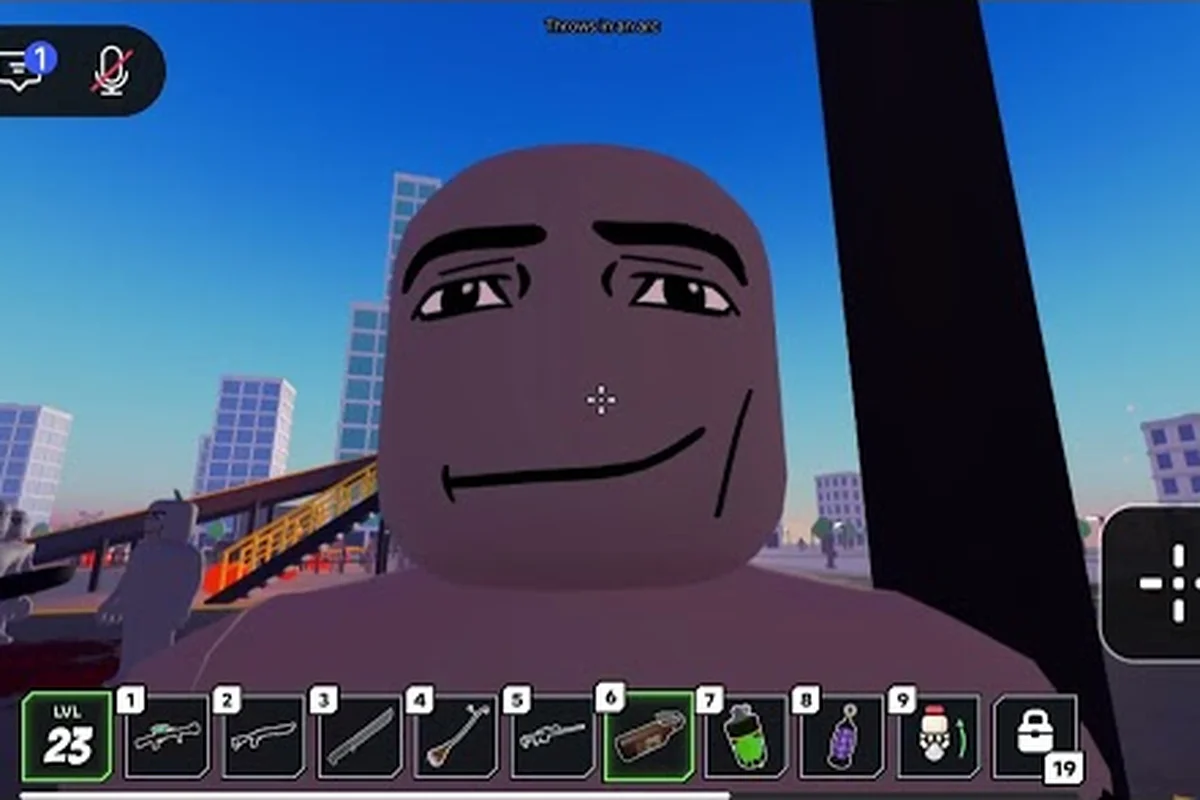
Knowing Ragdoll Reality how to kill zombies can turn an overwhelming outbreak into a manageable survival challenge. The key is to combine precise limb targeting with careful spacing, because every converted dummy reacts like a physical object that can be pushed, grabbed, thrown, or dismembered.
Zombie Behavior and Weaknesses
Zombies in Ragdoll Reality are converted dummies rather than ordinary humanoid enemies, which means their danger comes from how their bodies move and react. According to the official Ragdoll Reality game page, they chase players, pounce, and bite. A bitten player becomes infected and can convert others, so contact is consequential even when a zombie appears easy to handle.
Understanding their physical behavior gives you a major advantage over trying to overpower them. The same mechanics that let you grab, push, or throw a dummy also apply after conversion, creating opportunities to separate a zombie from the group and control the engagement.
How zombie behavior creates openings
The most useful behavior pattern is the combination of pursuit, pounce, and biting. Zombies close distance before attacking, which gives you time to observe their route and prepare a response. Rather than backing away indefinitely, move sideways to avoid a straight approach, then redirect their momentum with a shove or throw.
| Observed action | Likely tactical response | Practical goal |
|---|---|---|
| Zombie approaches directly | Strafe while preparing a grab | Redirect it away from the group |
| Zombie prepares to pounce | Move sideways or use nearby cover | Avoid landing directly in front of it |
| Zombie closes to bite range | Push, throw, or attack a limb | Create distance before contact |
| Zombie joins a cluster | Target one isolated body part | Break the group into smaller threats |
| Zombie falls after a hit | Control the fallen body | Finish the threat while it cannot chase |
Body-part reactions are central to this system. A leg hit may stop a zombie from moving effectively, while a hit to another limb can reduce its ability to pursue or attack. Since the official listing does not publish exact health, bite damage, or dismemberment thresholds, treat these as practical control methods rather than guaranteed instant eliminations.
A player who understands infection risk, pounce spacing, and physical momentum already has the foundation for ragdoll reality how to kill zombies. The deeper Ragdoll Reality zombie guide explains the graveyard conversion system and how it connects with Horde mode.
Control the body, not just the chase
A useful mindset is to view each zombie as a ragdoll problem rather than a traditional health-bar problem. Conventional attacks may be less dependable than positioning because the body can twist, fall, and recover. Deliberately controlling direction is therefore valuable even when a strike does not immediately remove the threat.
Limb separation can also change what the player sees as a single target. After dismemberment, separate body parts remain physical pieces that may be easier to push away or move individually. The official page does not specify how many impacts are required, so test the current version rather than relying on a fixed combo count.
Avoid the infection chain
The most reliable defense begins before the bite lands. Keep open space between yourself and approaching zombies, interrupt their approach, and use the environment to reduce the number of threats moving toward you at once. If you do get bitten, do not assume the encounter is automatically over; the official game page says a bitten dummy becomes infected and is able to convert.
This makes bite prevention more valuable than trying to rescue an already-bitten character. Keep moving after contact, create distance, and look for a way to stop the infected player from reaching allies or other dummies. The Halloween event overview provides additional context about the update that introduced these zombie features.
Zombie Speed and Class Comparisons
Zombie speed is one of the first details players notice because it changes how much time they have to react. The official game page identifies three speed classes: slow, normal, and fast. It also confirms that zombies can pounce and bite, so speed should be evaluated as part of a broader threat pattern rather than as a standalone movement statistic.
No exact meters-per-second values are published, so assigning precise speed numbers would be misleading. Treat the three official classes—slow, normal, and fast—as relative indicators instead: compare their approach rate, reaction window, and likelihood of triggering a pounce or bite during an encounter. In practical terms, a slow zombie gives you more time to line up a shot, while normal and fast zombies can compress that window and force you to reposition around obstacles. Because updates may alter movement and attack behavior, confirm each class in the current version through observation and use those comparisons to refine your defensive spacing.
Choosing the right response by class
Slow zombies give beginners more time to line up a throw or limb strike. Normal zombies require quicker decisions, while fast zombies can punish a player who waits for a perfect opening. Each class still uses the physical body, so positioning remains valuable across the encounter.
| Speed class | Best immediate tactic | Main risk | Priority target |
|---|---|---|---|
| Slow | Grab, redirect, or strike a leg | Slowly joining a group | Leg or trailing limb |
| Normal | Strafe, then use momentum control | Closing bite range | Leg during approach |
| Fast | Interrupt early, maintain distance | Fast pounce or chase | Near leg before it accelerates |
| Unknown or mixed | Apply class response dynamically | Losing track of movement | The nearest isolated zombie |
Three-class identification is the key takeaway. The official page confirms the categories, so you can react to what you see without inventing a damage formula. If a zombie is clearly faster, treat it as a priority even when a slow zombie is closer.
The slow zombie breakdown focuses on how reduced speed changes spacing and control during an encounter. Because a slow zombie takes longer to close bite range, a well-timed throw can redirect its momentum without immediately creating a second threat. A leg-focused hit is also effective: interrupting its approach while staying outside melee range keeps it separated from the group, matching the table’s advice to target the leg or trailing limb.
Read the body’s movement cues
Speed classes are only part of directional momentum. A fast zombie changing direction may still be manageable if you move perpendicular to its route, while a slow zombie in a crowd can become dangerous by blocking your escape. Watch where the shoulders and legs point, because the body often reveals the intended path before a pounce begins.
A reliable sequence is to create lateral space, identify the leading leg, and apply a push or attack before the zombie reaches striking distance. If the first attempt fails, abandon the combo and reset the angle rather than standing in the same place. This method preserves the speed advantage of faster classes without pretending they can be handled exactly like slow zombies.
What zombie speed does not reveal
The published class names do not disclose exact acceleration, jump distance, damage, or health. They also do not show whether speed changes after a limb is removed. Because the experience launched on October 13, 2026 and promised weekly updates, behavior can change with patches. Treat numerical claims from other players as community observations until they are reflected in an official update.
Zombie Spawn and Horde Mode Setup
Spawn control determines whether a fight stays manageable. The official listing describes the Horde button as the documented way to begin wave survival, but it does not publish a maximum zombie population, wave size, intermission duration, or rewards. That means there is no verified answer for a fixed total of enemies in a run.
The practical question is how many are active, reachable, and able to bite at once. Even a modest count can become dangerous if every zombie crowds the same narrow route. Player-created conversions and the graveyard add another layer, so distinguish outbreak enemies from dummies that you deliberately convert.
zombie spawn sources to monitor
| Spawn or conversion route | What to expect | Preparation |
|---|---|---|
| Horde wave mode | Enemies arrive for a survival challenge | Keep an open escape route |
| Graveyard conversion | A thrown dummy becomes a zombie | Control the throw location |
| Infected dummy | A bitten dummy can convert others | Isolate the infected target |
| Player infection | A bitten player can become a threat | Prioritize escape and separation |
Spawn spacing is the practical measure that matters. A large number spread around the map may be easier than a smaller group blocking one doorway. Before beginning a wave, identify open ground, obstacles, and routes that let you change direction. The guide to starting Horde mode covers the button and a practical survival setup.
Prepare the battlefield before pressing Horde
Do not start the mode while standing beside the graveyard or in a narrow corridor. Move toward open space, then locate a few objects that can redirect movement without trapping you. Because zombies can be pushed and thrown, the environment becomes a control tool when direct attacks are risky.
A strong setup includes open escape space, at least two directions of movement, and clear separation between you and any other player. If you are playing with others, avoid bunching together. A single infected teammate can create additional conversions, while players clustered at the graveyard may accidentally create several zombies at once.
Understanding how many zombies appear
There is no official population cap in the available documentation, and the game page does not list a fixed wave count. A responsible answer is that the number varies by mode, player actions, and the current patch. Players should not build a strategy around a guessed maximum, because an unverified cap can lead to unsafe positioning.
Instead, count only immediate threats and prioritize the closest fast zombie, isolated infected dummies, and any target pinning you against scenery. This avoids being overwhelmed by a large simultaneous spawn: for example, if one fast zombie closes the gap while two infected dummies remain separated, disable the nearer runner first, then create space before engaging the dummies. When a target is pinned against scenery, focus on that contact point and use the obstacle to limit its movement, since surrounding zombies can otherwise restrict your escape route. This adaptive method remains useful even when the total number of zombies changes between attempts.
Use the graveyard deliberately
Throwing a dummy into the graveyard converts it, so the same location is both a tool and a hazard. First use it to create a zombie away from other players, then redirect that zombie toward an isolated area. If you need to escape, throw a converted dummy toward a path that does not lead directly to your group.
The key is to avoid creating enemies beside allies. A single conversion can become several if infected dummies interact. Review the graveyard and Horde overview before experimenting with multiple conversions so that every throw has a clear tactical purpose.
Three Tactics to Kill Zombies Effectively
Ragdoll reality how to kill zombies comes down to reading speed, controlling the body, and preventing a group from forming. The following sequence combines the mechanics confirmed by the official game page with practical positioning that remains useful when unverified numbers change.
Priority one: intercept with limb control
Let the zombie reveal its speed and route, then move diagonally so you are no longer directly in its path. As soon as it commits to the approach, target a leg or use a push to change its direction. The objective is not to spend excessive time on one target; it is to stop the zombie from reaching the player who may be carrying infection.
A useful priority order is fast enemy first, nearby enemy second, and grouped enemies last. That is the opposite of attacking the nearest target blindly because the nearest slow zombie may occupy space while a fast zombie closes from behind.
Priority two: turn momentum against the crowd
When several zombies converge, a frontal struggle gives all of them a chance to reach you. A shove or throw can move one body into the path of the others, buying several seconds. This technique works best when the crowd moves in the same direction and the redirected zombie has enough mass to interrupt them.
Environmental control is especially valuable in Horde mode. Use a doorway as a funnel, an open field as a circling area, or a sturdy prop as a temporary divider. These are tactical descriptions rather than claims about special map objects, so test what the current environment allows and avoid assuming every prop is indestructible.
Priority three: finish threats while they are separated
Once a zombie is pushed away or falls, decide immediately whether to engage it again. If it is isolated and slower, a leg-focused follow-up can prevent recovery. If it is fast, the safer choice may be to redirect it again and create distance. Overcommitting to a kill is a common mistake because the recovery animation leaves other zombies free to attack.
Use a three-part test before approaching: check whether the target is isolated, whether its speed or unstable state makes a leg-focused follow-up safe, and whether your attack will cause a bite exchange. This sequence matters in Ragdoll Reality because a successful limb hit can trigger a recovery animation, allowing nearby zombies to close in while you are committed. Redirecting an aggressive target preserves spacing and prevents a single enemy from converting one planned attack into a multi-zombie problem.
| Check | Yes | No |
|---|---|---|
| Is the target isolated? | Move into a short follow-up sequence | Redirect it away from the group |
| Is it slow or already unstable? | Press the advantage with a limb attack | Prioritize escape and spacing |
| Will the attack create a bite exchange? | Use a throw or push first | Take the shorter, safer opening |
Target switching keeps the encounter rational. A player who keeps hitting a healthy dummy while ignoring a fast zombie may never finish either target, while a player who isolates threats can make every attack reduce the number of incoming attacks.
Practical Combat Scenarios and Corrections
Knowing the best opening is only half the battle. A useful plan should change when a zombie falls, clips scenery, or joins a group. These scenarios show how the same mechanics work in different situations without relying on unpublished health values or damage numbers.
Scenario one: a fast zombie approaches alone
Move laterally and watch the leading leg. If the zombie begins a pounce, redirect its body rather than trying to trade attacks. A push toward empty space is safer than a throw toward another player, and it keeps the engagement from spreading into a group fight.
If the attack connects and the zombie falls, approach from the side rather than directly in front. A short leg-focused follow-up can stop its recovery, but abandoning the opening when a second threat appears is the more important correction.
Scenario two: zombies block a narrow passage
Back out before contact if possible, because escaping a bad position is more valuable than securing one elimination. Throw or push the nearest zombie into the passage, then move around the obstruction rather than following directly behind it. This preserves crowd separation and prevents the group from funneling into your movement space.
Scenario three: a teammate is bitten
Do not crowd around the infected player. Clear a path away from other dummies and keep the bitten player from making contact with the group. The official game page says an infected dummy can convert, so every nearby dummy becomes a possible secondary target. Isolation is the best documented response until you can control the situation.
Common mistakes and corrections
| Mistake | Why it fails | Correction |
|---|---|---|
| Standing still to land one attack | Fast zombies close and pounce | Strafe, interrupt, then counter |
| Hitting the torso repeatedly | The target stays mobile | Target legs and use pushes |
| Fighting near the graveyard | Conversions can multiply threats | Move conversion targets away |
| Assuming a fixed wave size | Official population data is not published | Count current active threats |
| Chasing a downed enemy | Other zombies gain free attacks | Finish only if the area is clear |
Patience without passivity is the right correction. Waiting for a guaranteed opening is useful, but standing in the open gives fast zombies a better approach than necessary. The best response combines a moment of assessment with a deliberate direction change.
A repeatable combat loop
Use the same four-step cycle until the area is clear: identify, separate, interrupt, and confirm. Identify the fastest active zombie, separate it from the group, interrupt its approach with a limb hit or shove, and confirm that it cannot reach anyone. If another threat arrives, return to identification instead of forcing a long combo.
This loop makes the guide to ragdoll reality how to kill zombies less dependent on exact weapon damage. It also provides a useful rule for both solo and multiplayer sessions, although infection and teammate conversion make communication and spacing even more important with a group.
Frequently Asked Questions
Are there different zombie speeds in Ragdoll Reality?
Yes. The official game page identifies three speed classes: slow, normal, and fast. Exact movement speeds, acceleration, and pounce distance are not published, so players should identify each class by its visible behavior. Fast zombies need early interruption, while slow zombies provide more time for limb-focused attacks or controlled throws.
How do you stop a zombie from biting you?
Move out of its direct approach, then interrupt it with a leg-focused strike, push, or throw before it reaches bite range. Because zombies chase, pounce, and bite, standing still or attacking only the torso is risky. Keep escape space open and avoid fighting beside allies or other dummies.
Does dismembering a zombie guarantee its defeat?
No guaranteed instant defeat is established by the official documentation. The game supports dismemberment, and losing limbs may reduce mobility or create control opportunities, but exact health and dismemberment thresholds are not published. Finish a separated target when safe, and redirect it when pursuing a kill would expose you to the rest of the group.
How many zombies spawn in Ragdoll Reality?
The official page does not provide a fixed wave size, population cap, intermission length, or total number of enemies. The count can also be affected by player-made graveyard conversions and infections. Judge the encounter by the number of active threats rather than assuming a confirmed maximum, and prioritize fast or isolated enemies.
What is the safest way to use Ragdoll Reality zombie mode?
Start Horde mode from an open area, keep several escape directions, and do not group with other players. Use pushes and throws to redirect threats, target legs during the approach, and isolate any infected teammate. Graveyard conversions can add enemies, so throw dummies away from allies and count every active zombie as a potential immediate threat.