
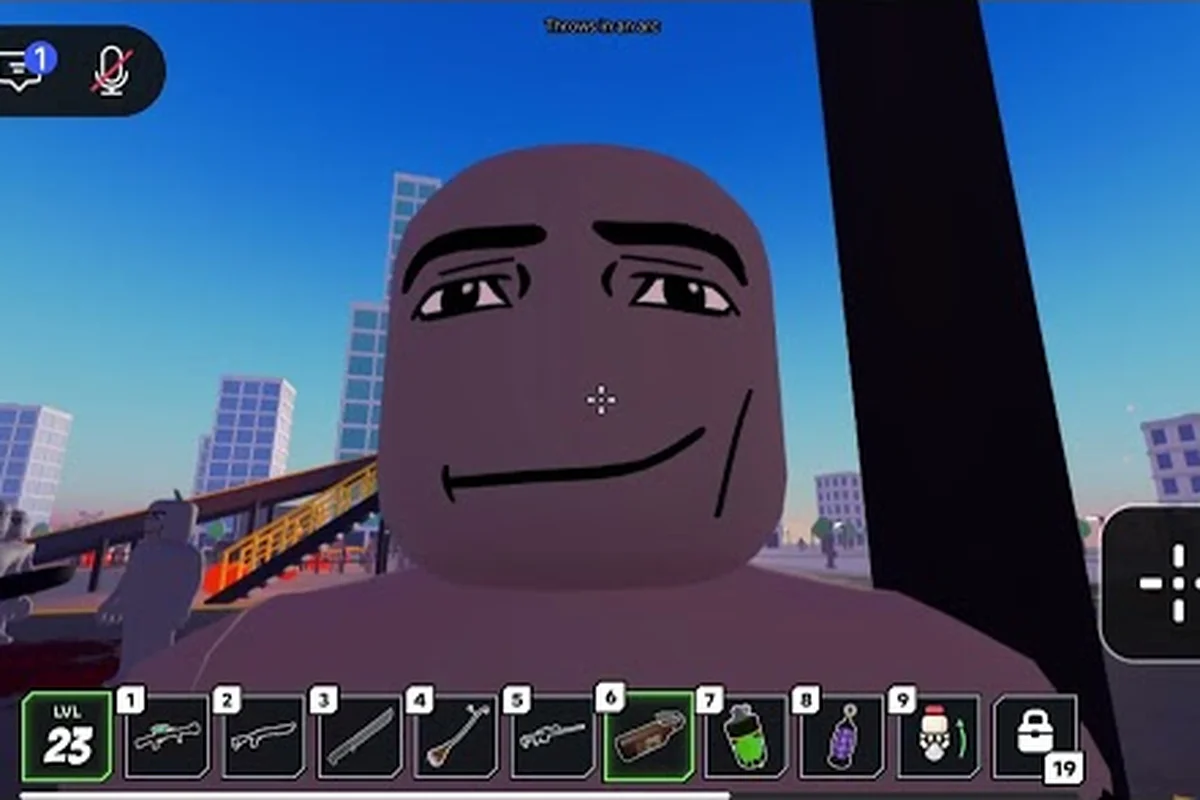
The Ragdoll Reality slow zombie is the gravesteady threat in the graveyard’s three-speed enemy lineup, so understanding its role helps you survive longer waves. Learn how it behaves, how it compares with normal and fast variants, and when to fight, evade, or use it against the horde.
Slow Zombie: What Makes It Different?
The Ragdoll Reality slow zombie is best understood as the deliberate pacing threat in the game’s graveyard outbreak. Unlike the more aggressive fast variant, it gives players time to react, read the movement pattern, and choose whether to create distance or turn the zombie into a weapon.
The official Ragdoll Reality game page identifies three enemy classes—slow, normal, and fast—and confirms that zombies can chase, pounce, and bite. It also explains that a dummy thrown into the graveyard becomes a zombie, giving players a way to test the enemy before committing to a risky encounter.
That conversion detail matters. The Ragdoll Reality slow zombie is not simply a respawned monster; it begins as a physical dummy that can be grabbed, pushed, thrown, or dismembered. Its body reacts to impacts before or after conversion, so positioning and momentum can influence the opening of a fight.
| Trait | Ragdoll Reality slow zombie | Practical meaning |
|---|---|---|
| Movement class | Slower than normal and fast variants | More reaction time, but not harmless |
| Origin | Converted from a dummy in the graveyard | Players can influence the opening moment |
| Ranged threats | Same basic chase, pounce, and bite behavior | Positioning still matters |
| Main advantage | Predictable pursuit speed | Easier to outrun or bait |
| Main danger | Can reach and infect a careless player | Retreat does not mean it stops mattering |
The useful distinction is not simply “slow equals weak.” Speed is only one property. A slow enemy that catches a player during recovery can still deliver a dangerous Ragdoll Reality zombie bite, while a fast enemy may simply force a player into a worse angle. The slow class becomes especially useful as a controllable distraction or a movable obstacle.
How the conversion creates an opening
A common mistake is to treat the graveyard as a spawn point. It is more accurately a conversion tool: a dummy can become a zombie through the graveyard, after which the same ragdoll interactions remain relevant. This creates a short setup phase in which a player can choose distance, height, and approach direction.
Community experience generally frames that phase as the best chance to separate the zombie from a group. Because the slow variant closes space gradually, players can throw or redirect it before closing with faster threats. Reports also suggest that avoiding isolated conversion helps, although exact wave population and spawn limits are not published by the developer.
Pace Tiers Side by Side
Comparing the three classes prevents players from treating every chase as identical. The Ragdoll Reality slow zombie occupies the middle of the approach spectrum in behavior rather than power: it is easier to outpace than the fast enemy, but it can still maintain pressure for longer than a player expects.
| Enemy class | Chase experience | Best player response | Useful role in a group |
|---|---|---|---|
| Slow zombie | Gradual, readable pursuit | Bait, throw, or attack at range | Distraction and delay |
| Normal zombie | Balanced approach and pressure | Break sightlines and reposition | Standard chase threat |
| Fast zombie | Rapid closing distance | Create distance immediately | Sudden pressure and interruption |
This table describes relative roles rather than exact meters, because the official page does not publish numerical movement speeds. That distinction is important. Assigning a fictional speed value would create a false expectation when the game’s balance changes, so players should read each class by its observed behavior.
The normal zombie as the baseline
The Ragdoll Reality normal zombie provides the baseline chase pressure. It does not demand the same immediate escape as a fast zombie, yet it prevents careless players from settling into a static defense position. A normal enemy gives the player less breathing room to prepare a throw, retreat, or body manipulation.
In practical terms, the normal class is a good test target. If a player can consistently redirect the normal zombie, they should have enough skill to handle the slow class under better conditions. If not, the slow enemy can still become dangerous when mixed into a wave where several conversion routes are active.
Why the fast zombie changes positioning
The Ragdoll Reality fast zombie is the immediate comparison that makes the slow class look manageable. Its rapid approach shortens the time available for reactions, especially when a player has just thrown a dummy, grabbed another enemy, or recovered from a missed attack. The danger comes from the loss of setup time.
A useful rule is to reserve open ground for fast enemies. Use walls, corners, and elevation to interrupt their line, while saving direct throws and prolonged melee exchanges for the slower variants. If a fast zombie appears behind the player, the entire formation may need to change, whereas a slow zombie can often be redirected without abandoning the current position.
Treating speed as tactical information
Speed classes reveal intent because each demands a different answer. Slow pursuit means the enemy is advancing without a burst, so the player can use a curved route rather than a desperate sprint. Fast pursuit calls for immediate separation, while normal pursuit rewards a balanced change of position.
| Situation | Slow zombie response | Normal zombie response | Fast zombie response |
|---|---|---|---|
| Open area | Arc around and throw | Move diagonally | Sprint or break line of sight |
| Narrow corridor | Block and redirect | Avoid standing directly ahead | Retreat to a wider area |
| Elevated position | Time a throw or drop | Reposition after attack | Avoid remaining at the edge |
| Group pressure | Use as a blocker | Redirect before encirclement | Prioritize the closest threat |
These patterns remain practical even without exact speed statistics because they use movement behavior to identify threat priority. For example, a slow zombie approaching through a narrow corridor can serve as a blocker, allowing the player to redirect it and create space for a normal zombie; a fast zombie closing from the side instead requires immediate repositioning, ideally toward an open area or a broken line of sight. If several infected dummies converge, delaying one slow zombie can prevent the group from surrounding the player, but the closest fast pursuer should be handled first. In Horde Mode, this triage matters because conserving movement and maintaining an escape route can be more valuable than trying to eliminate every zombie immediately.
How the Zombie Bite Changes the Fight
The Ragdoll Reality zombie bite is the most important reason to treat even a slow enemy as a serious threat. The official game page confirms that zombies bite and that bitten dummies become infected, which means contact can create another active threat rather than merely reducing a health bar.
A bite is therefore both damage and a conversion risk. The game’s dummy-based interaction means a player who allows repeated contact may create another infected body inside an already crowded area. Even if the first zombie moves slowly, the infection it causes can make the battlefield more chaotic.
Warning signs and safe spacing
The best defense is not memorizing an exact damage number, which the official source has not published, but recognizing unsafe spacing. Keep the zombie at the end of an arm’s reach until you are ready to throw or strike. Watch the torso and arms rather than assuming the enemy will approach in a straight line.
| Risk sign | Why it matters | Safer action |
|---|---|---|
| Zombie closes to striking range | A bite can infect a dummy | Step away before attacking |
| Zombie is beside another body | A miss may create a second threat | Reposition before the swing |
| Player is recovering from a throw | The slow enemy can catch up | Do not commit while staggered |
| Zombie blocks the only exit | Its pace can trap the player | Change direction early |
| Bodies gather near the player | Infection may spread through the group | Break contact immediately |
Contact prevention is the central principle. A slow zombie may look harmless, but its persistent pursuit can punish a single error, especially after a thrown dummy, a missed strike, or a fight with a normal zombie. For example, throwing an infected dummy near a fast zombie can leave the player exposed to two separate threats: the dummy may land beside the fast zombie, while the slow zombie continues closing in. Treat every encounter as a temporary timer—step away after the throw, confirm the infected body is down, and avoid standing near clustered corpses or an exit before the slow zombie has been cleared.
Infected dummies as a second wave in miniature
The Ragdoll Reality infected dummies create a chain of danger. A bitten dummy is no longer harmless scenery, and the same chase-and-bite behavior associated with the zombie classes applies to it. In a crowded area, one infection can therefore produce a short chain of additional threats.
That chain is why pulling infected dummies away from the main group is more valuable than simply killing the first target. Space gives the player options, while a cluster gives every new infected body a nearby victim. Community play tends to favor controlled disengagement when a bite has already happened, because isolation is easier to manage than simultaneous attacks.
The broader graveyard rules are covered in the Ragdoll Reality zombie guide, which explains conversion and the outbreak setup in more detail. That distinction matters when comparing a Ragdoll Reality slow zombie with normal and fast variants: their movement speed affects how quickly each infected body can close distance, pursue survivors, and convert a dummy. In Horde Mode, the horde button can increase pressure, so keeping infected dummies isolated reduces the number of chase-and-bite targets that can activate around the same civilian or player. The guide also clarifies how zombie bites trigger infection, helping players judge whether a retreating target is already part of the outbreak rather than treating it as harmless scenery.
Controlling a Slow Zombie During Horde Mode
The Ragdoll Reality horde mode turns loose enemy behavior into a survival test. The official page identifies the Ragdoll Reality horde button as the way to start a wave-survival session, while leaving wave numbering, intermission duration, spawn caps, and rewards undocumented. Because the exact sequence is not published, the safest strategy is a repeatable setup rather than a fixed timer.
A controlled slow zombie can serve as a mobile blocker or draw another enemy away from the player. A fast zombie does not offer that same handling time. The slow class therefore creates a brief ordering system: redirect it, escape the fast enemy, then return to the group when space opens.
A repeatable engagement sequence
The slow zombie’s reduced movement speed makes it useful as a controllable threat: it gives you more time to judge its path, line up a throw, and keep clustered dummies out of its bite range. Unlike a fast zombie, which can close the gap before a throw animation finishes, the slow zombie’s steady pursuit creates predictable openings for repositioning. The goal is not simply to outlast it, but to use its slower approach to preserve space while isolating it from infected dummies and other active enemies.
-
Create distance from the group and establish a clear approach lane.
-
Read the slow pursuit and choose whether the zombie will approach head-on or follow from the side.
-
Use a throw or environmental interruption before it reaches striking distance.
-
Reposition immediately after the throw, because recovery creates an opening for fast enemies.
-
Block or redirect a fast zombie first if one enters the engagement area.
-
Return to the slow zombie only after the immediate lane is safe.
| Phase | Main objective | Common mistake |
|---|---|---|
| Approach | Keep the slow zombie away from clustered bodies | Waiting too long to throw |
| Displacement | Send it toward an open lane | Chasing it after the throw |
| Recovery | Reset distance and identify fast threats | Attacking while vulnerable |
| Re-engagement | Finish or redirect the slow zombie | Returning from the wrong angle |
| Infection check | Separate any bitten dummy | Ignoring a bite because the enemy is slow |
Before beginning Horde mode, use the Ragdoll Reality setup guide for Horde mode to activate the correct horde button and prepare for the initial wave. The setup matters because the slow zombie’s predictable pursuit is easiest to exploit when you can test one infected dummy, identify its approach speed, and confirm the lane layout before normal zombies or fast zombies are added to the encounter. This creates a controlled pre-wave check instead of forcing you to read every threat at once.
Use terrain as a multiplier
The best defense is a route with more than one escape. A dead-end lane allows even a slow zombie to pin the player, while an open area supports throws and curved movement. Before activating the horde button, identify corners that can interrupt pursuit and routes that let the player move laterally instead of backward.
Elevation can also buy time, but only when the player has more than one exit. Standing on a high point above a slow enemy is useful if the player can retreat safely after the throw. It becomes dangerous if a fast enemy closes the descent or if infected dummies gather below.
When retreating is stronger than fighting
Retreat is not a failure state. It is the correct response when several enemies converge, the player is recovering from an attack, or the arena has become blocked. A slow zombie gives the player more time to recognize that a reset is needed, but it can also expose a poor route because it keeps following without a dramatic burst.
Community experience suggests isolating threats before committing to damage. That approach is particularly useful when the player cannot confirm exact health, bite damage, or conversion timing. Players can conserve momentum, redirect bodies, and avoid turning one infected dummy into several.
Slow Zombie Tactics for Solo and Group Play
The best tactics for the Ragdoll Reality slow zombie depend less on empty-handed damage and more on positioning. Because dummies can be manipulated through the game’s physical interactions, throwing, grabbing, and blocking can create more value than repeatedly striking a target that keeps walking toward you.
Solo survival priorities
A solo player should avoid making every enemy an equal priority. The slow zombie can be delayed, so it is often better to deal with a fast enemy first, provided the slow one remains far enough away. If the slow enemy is already close, the priorities reverse because its bite can create a new threat.
| Priority | Enemy | Reason |
|---|---|---|
| 1 | Fast zombie at close range | It removes reaction time and can break a careful setup |
| 2 | Bitten dummy | It may become another chaser or biter |
| 3 | Slow zombie at a distance | It can be redirected without immediate contact |
| 4 | Normal zombie | Usually manageable once spacing is established |
Threat priority depends on speed and proximity together, not on the enemy label by itself. For example, a fast zombie across the arena may be less dangerous than a slow zombie within a few steps, because the slow zombie can reach and bite before the player finishes a reload or repositioning. This makes the table’s spacing-based ranking more useful in practice: first remove the immediate close-range chaser, then handle a bitten dummy, while keeping a distant slow zombie controlled. The key question is not simply “fast or slow,” but how soon each enemy can affect the player.
Supporting a group without causing clutter
In a group, one player can deliberately manage the slow zombie while others handle faster targets. The holder should keep the converted body away from friendly players and avoid throwing it into a congested corner. Communication matters because an approaching slow enemy may look harmless to someone focused on a fast threat.
The broader Ragdoll Reality tactics for defeating zombies breaks the encounter into useful offensive and defensive choices. For the slow class specifically, those choices should emphasize displacement, spacing, and interruption rather than standing still for repeated contact.
Do not waste a good slow zombie
A converted slow enemy is not merely a target to eliminate. It can block a lane, pull attention, or interfere with other zombies. Players who immediately chase every threat may overlook this value. Before attacking, check whether the body can pull enemies away from an exit or occupy the space where a fast enemy would otherwise approach.
This is especially useful when the player has limited room. A body thrown into the correct opening can buy several seconds, while a body thrown into a group can shorten the player’s escape route. Direction matters as much as distance.
Unknowns, Patch Changes, and Test-Based Information
The official page confirms the enemy classes and core interactions, but it does not disclose exact movement values, zombie health, bite damage, dismemberment thresholds, wave population, intermission length, or spawn caps. Any article presenting precise numbers for those systems would be guessing rather than reporting confirmed data.
The release and update information is similarly limited. Ragdoll Reality launched on October 13, 2026, and the Halloween update introduced graveyard conversion, the three speed classes, infection, and the Horde button. The official page promises weekly updates, but it does not provide a dated patch archive or version history. Community observations should therefore be treated as current-session evidence that may change after updates.
| Confirmed by the official page | Useful but unquantified observation | Do not claim without evidence |
|---|---|---|
| Slow, normal, and fast classes exist | The slow class allows more setup time | Exact speed percentages |
| Zombies chase, pounce, and bite | A slow enemy can redirect other threats | Exact bite damage values |
| Dummies can convert in the graveyard | Infected dummies can complicate a group | Exact conversion chance |
| The Horde button starts a mode | Waves reward repeatable positioning | Spawn cap and wave length |
| Dummies react physically to impacts | Terrain and throws affect the opening | Dismemberment health threshold |
Measuring Speed Safely
Record a controlled comparison using the same route and starting distance. Observe which enemy reaches the player first, whether its pursuit path changes around obstacles, and how long the player can maintain distance without a recovery animation. Repeat the test in groups to see how infected bodies affect spacing.
Because community reports can become outdated after a balance patch, compare repeated observations rather than relying on a single clip. If a fast zombie becomes slower or a slow zombie gains a new action, the current tactical hierarchy may no longer be accurate. The official Ragdoll Reality game page remains the best place to check for current game information.
Frequently Asked Questions
What makes the Ragdoll Reality slow zombie different from the other zombies?
The slow zombie belongs to a three-class lineup and advances more gradually than the normal and fast variants. That gives players more time to create distance, redirect it, or use its body as a blocker. It is easier to manage than a fast zombie, but its bite and possible infection of dummies still require careful spacing.
Can the Ragdoll Reality slow zombie be thrown like a normal dummy?
Yes, because the slow zombie originates from a dummy converted in the graveyard, and the official game page says dummies can be grabbed, pushed, thrown, and dismembered. The exact force, range, and damage values are not published, so players should treat each throw as a positioning tool rather than relying on a fixed damage number.
Should players fight the Ragdoll Reality normal zombie or slow zombie first?
Distance should determine priority. Fight the normal zombie first when it is approaching while the slow zombie remains distant, because the normal class can interrupt a planned throw. If the slow zombie is already close, handle it before its bite can infect another dummy or allow it to block the escape lane.
Does the Ragdoll Reality zombie bite always create an infected dummy?
The official page says a bitten dummy becomes infected and can convert, while also confirming that zombies bite. The exact infection rules and chance are not published, so the safest strategy is to prevent repeated contact rather than assume every bitten body will immediately create another zombie.
Where is the Ragdoll Reality horde button and when should it be used?
The official game page identifies a Horde button as the documented way to begin wave survival. Before activating it, establish a route with several exits, identify where throws can be redirected, and separate the graveyard from the main fighting area. The button should be used when the player is ready to manage mixed speed classes and possible infected dummies.